Self-hosted · AI-powered · 42 modules

Control the entire business.From one console.

Store Console connects the whole operating journey on infrastructure you control: sell online or in person, manage stock, fulfil deliveries, run finance and people, plan production, and keep every team on one source of truth. AI assistance extends that control to the admin panel, Telegram, Slack, and Discord when you need it.

$0 due when the trial startsPayment method requiredCancel before day 1530-day money-back guarantee
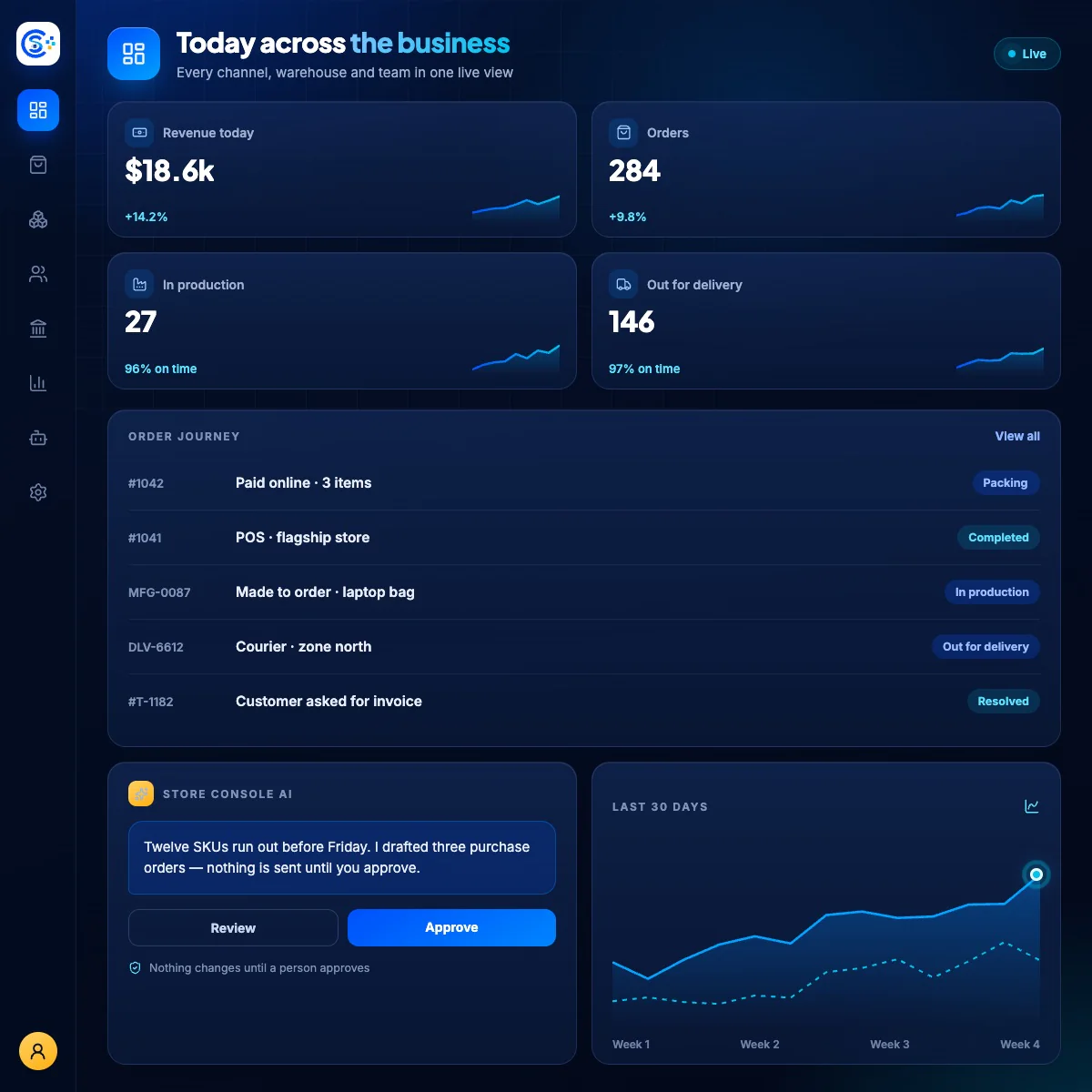
Store Console operations dashboard with orders, customers, inventory, and sales
One operating view across commerce and back-office data
01
One connected operating system

One operating path from sale to delivery, production, and the ledger.

Every team gets a focused workspace, while the business keeps one source of truth. Activate the modules you need now; expand without rebuilding the foundation.

01.1
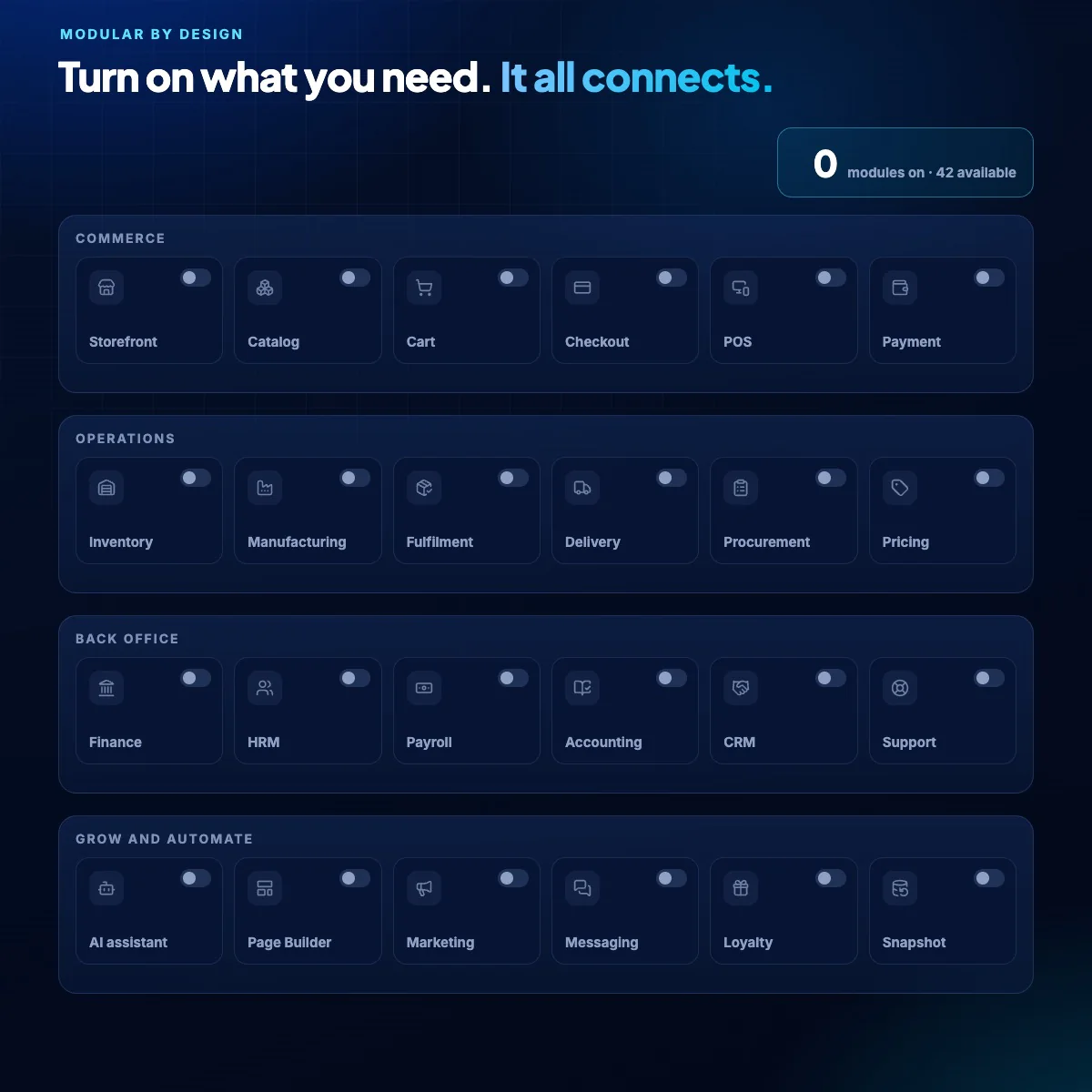
Modular by design

42 independent modules. One complete business system.

Start with the operating layer your team needs today, then connect the next workflow without replacing the foundation. A sale can update the storefront, reserve stock, trigger fulfilment or production, close delivery, and reach accounting without duplicate records or direct module coupling.

CommerceSell online, at POS, and through every channel
OperationsStock, procurement, fulfilment, and delivery
ManufacturingPlan, make, inspect, trace, and cost
ERP + AIRun people, finance, service, permissions, and audit
Store Console ERP dashboard showing people, payroll, finance, support, and workflows
Back-office modules share one event-driven foundation
01.2
PageBuilder native

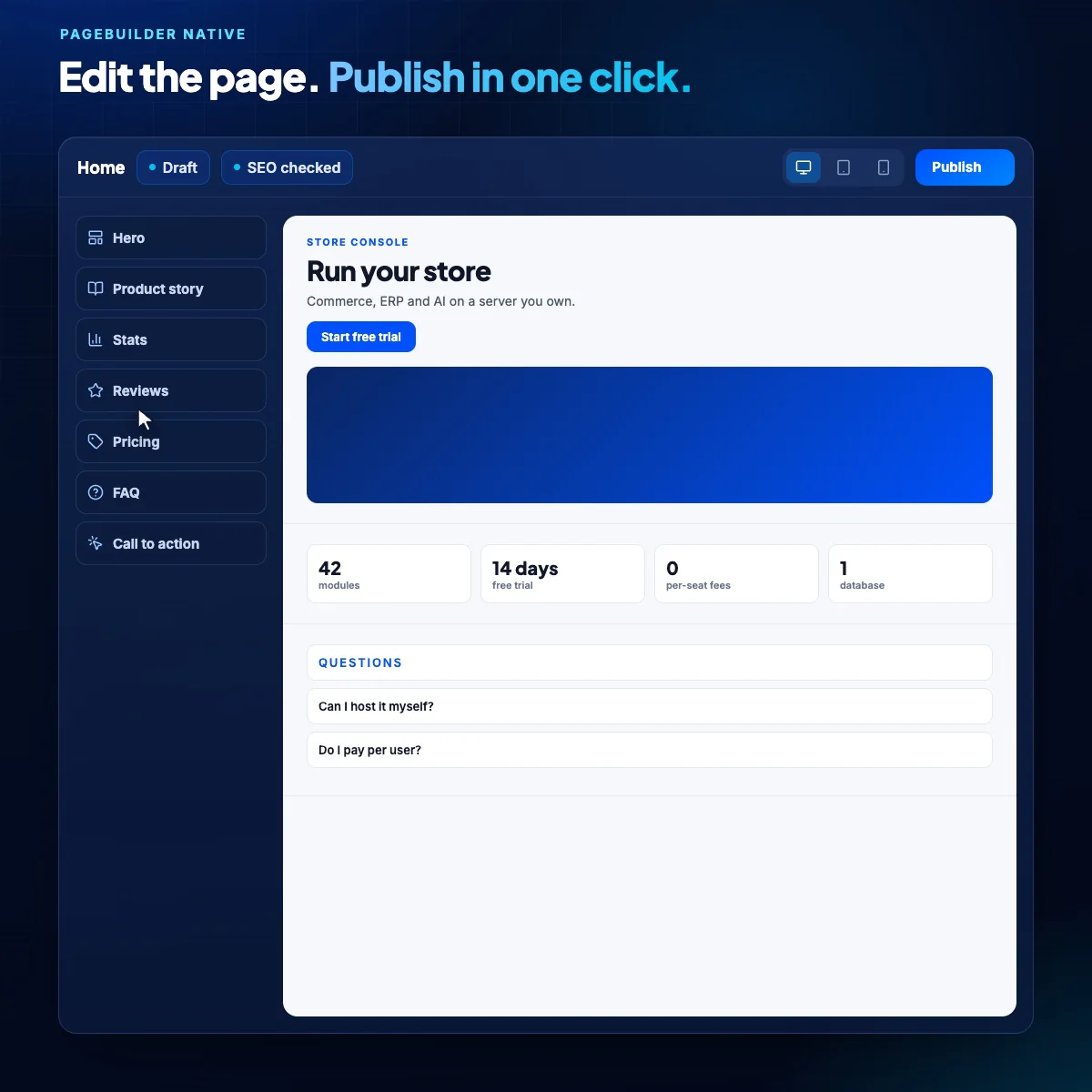
The public site remains as editable as the admin data behind it.

This homepage is assembled from typed PageBuilder blocks. Copy, media, chapter order, channel labels, AI examples, buttons, and responsive presentation can be changed without a one-off template.

  • Swap an image for a short product video from the block editor
  • Preview desktop, tablet, and mobile before publishing
  • Keep SEO metadata, revisions, and reusable layouts in the same workflow
The real Store Console PageBuilder editor with responsive preview and typed blocks
The real local PageBuilder workspace used to assemble this homepage
01.3
Conversation with control

The bot can operate the admin panel. Your permission model still decides how.

Telegram, Slack, Discord, and the built-in admin chat use the same registered tools. Reads stay grounded in live module context; sensitive writes remain drafts until an authorized person confirms them.

Identity linkedEvery channel maps to a Store Console user
Live contextAnswers come from current operational records
Draft firstWrite actions expose totals and side effects
Human approvalPermissions and confirmation remain final
Store Console support and AI operations workspace with accountable customer context
One permission boundary follows the operator across admin chat, Telegram, Slack, and Discord
03
AI command center — when work leaves the desk

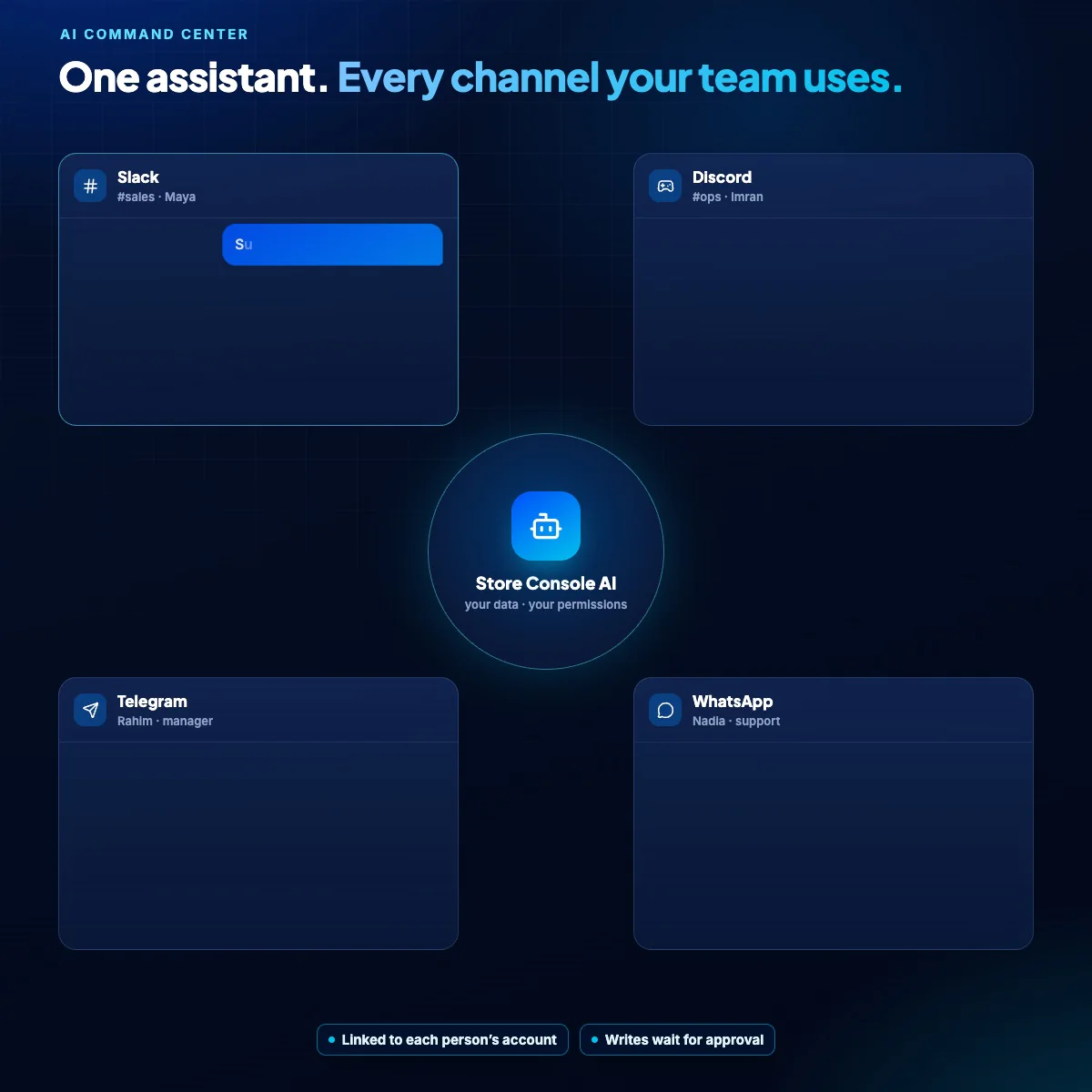
Ask. Review. Run approved admin work from chat.

Your operating console remains the source of truth. Link a Store Console identity to Telegram, Slack, or Discord when the team needs live context away from it; the same permission-filtered tools and confirmation rules travel with the operator.

Reads live context

Answers use current module data, not invented numbers.

Respects permissions

Available tools follow the linked user and role.

Drafts before writes

Create, update, and delete requests are shown first.

Human approval stays final

Sensitive changes wait for explicit confirmation.

Explore AI operations
Store Console Admin Copilot
TelegramSlackDiscord
Operations lead

Which products are likely to run out before Friday?

Admin copilot

Twelve SKUs are at risk. The three highest-revenue items have four to six days of cover. I can prepare purchase-order drafts using their preferred suppliers.

Operations lead

Prepare the drafts and show me the totals before anything changes.

Control boundary

Drafts prepared. No record has been created. Explicit approval is required for each write action.

Three purchase-order draftsSupplier, quantity, landed cost, and expected cover calculated
Review
Inventory risk briefLive stock and recent sales summarized
Ready
04
The product in motion

Watch one operating flow move from order to accountable execution.

The focused product film follows the real path: a sale reaches stock, fulfilment, delivery or production, and the ledger. It then shows how an approved AI request can accelerate the same work without bypassing control.

Store Console · Live operating flow01:20
Store Console commerce and operations dashboard prepared as the product film poster
A guided tour of the Store Console operating flow, from sale to ledger.
01

Sell in one system

Catalog, cart, checkout, POS, and customer records start with the same current data.

Commerce
02

Operate the order

Stock, procurement, fulfilment, delivery, or production receive the downstream work without a re-key.

Operations
03

Approve AI assistance

When the team asks from chat, the system shows quantities, totals, side effects, and permissions before a write.

Approval
04

Close the loop

The result reaches the admin panel, audit trail, accounting, and the next operational workflow.

Complete
05 / Pricing without the puzzle

Choose the operating scope. Configure the details on the pricing page.

These amounts are read from the live Store Console product catalog. The homepage stays concise; modules, billing cycle, site volume, cart, and checkout stay in the dedicated builder.

Commerce

Sell physical, digital, service, or combined catalogs.

From$5per site / month

Start with the storefront you need, then choose POS, inventory, delivery, and procurement as visible, separate operating capabilities.

  • Catalog, cart, checkout, and orders
  • Separate POS, inventory, and delivery choices
  • Flat per-site pricing
Configure commerce
ERP

Run the back office as connected modules.

Capped at$47per site / month

Activate CRM, HR, payroll, finance, accounting, projects, and support individually or together.

  • Choose modules independently
  • Shared events and permissions
  • No per-seat dependence
Configure ERP
Complete platformFull operating system

Unify commerce, ERP, content, and AI control.

Capped at$71per site / month

Use one installation and one operational truth across customer journeys and internal execution.

  • All commerce and ERP modules
  • AI command center
  • Self-hosted source and data
Configure everything
Need exact modules, billing cycle, site volume, cart totals, or lifetime pricing?Open the pricing builder
06
Ownership and launch

The platform should answer to the operation—not the other way around.

Store Console keeps the commercial model legible, the infrastructure yours, and every sensitive AI-assisted write accountable to a person.

Your infrastructure

Deploy the application, PostgreSQL, Redis, workers, and files on systems you control.

Your operational data

Commerce, ERP, customer, and audit records remain in your database.

Permission-bound AI

Available tools follow the linked user; sensitive writes wait for explicit approval.

Changeable public story

Pages, copy, media, navigation, SEO, and this homepage remain editable in PageBuilder.

01

Install

Use the guided Docker or bare-metal deployment path.

02

Activate

Enable only the commerce, ERP, content, and AI modules you need.

03

Operate

Connect channels, assign permissions, publish pages, and review actions.

Commercial terms in plain language
14-day free trial$0 due when the trial startsPayment method required at activationCancel before day 1530-day money-back policyPlans from $5/month
07 / Decisions before deployment

The questions that determine whether the platform fits.

What does Store Console replace?

It brings the operating path into one self-hosted console: commerce, POS, inventory, procurement, fulfilment, delivery, CRM, finance, people operations, manufacturing, accounting, and accountable AI assistance. Activate only the modules your business needs.

Can I control Store Console from Telegram, Slack, or Discord?

Yes. Link the channel identity to a Store Console user. The available AI tools follow that user’s permissions, and supported write actions require explicit confirmation before execution.

Does the AI have unrestricted admin access?

No. It reads and proposes only through registered tools. Permission filters apply to the linked user, while create, update, and delete operations remain confirmation gated.

Is the homepage hardcoded?

No. Copy, media, video source, film stages, pricing-card narrative, links, order, SEO metadata, and block styling are stored as typed PageBuilder content. Prices resolve from the live product catalog.

How does the 14-day trial work?

A payment method is required to activate the trial, but the checkout amount is $0. Cancel before day 15 and nothing is charged. The first paid renewal remains protected by the published 30-day money-back policy.

What does Store Console cost?

Plans begin at $5/month. Commerce, ERP, complete-platform caps, billing cycles, site tiers, cart totals, and lifetime pricing are calculated in the dedicated pricing builder from the current catalog model.

Why are there 42 modules but fewer pricing choices?

The 42 modules are the complete platform architecture: commerce, ERP, manufacturing, AI and content, plus platform governance. Pricing groups that architecture into a smaller set of understandable commercial choices, while the detailed builder shows exactly which billable capabilities are active.

Is Store Console genuinely self-hosted?

Yes. You deploy the application and its data services on infrastructure you control, with documented Docker and bare-metal paths.

Run the complete business from one console. Keep every critical decision human.

Start the 14-day trial, connect commerce to delivery and production, then extend approved work to the team’s AI channel when it helps.