

Schedule events, meetings and deadlines
AI & content
CalendarOne shared calendar for your whole team
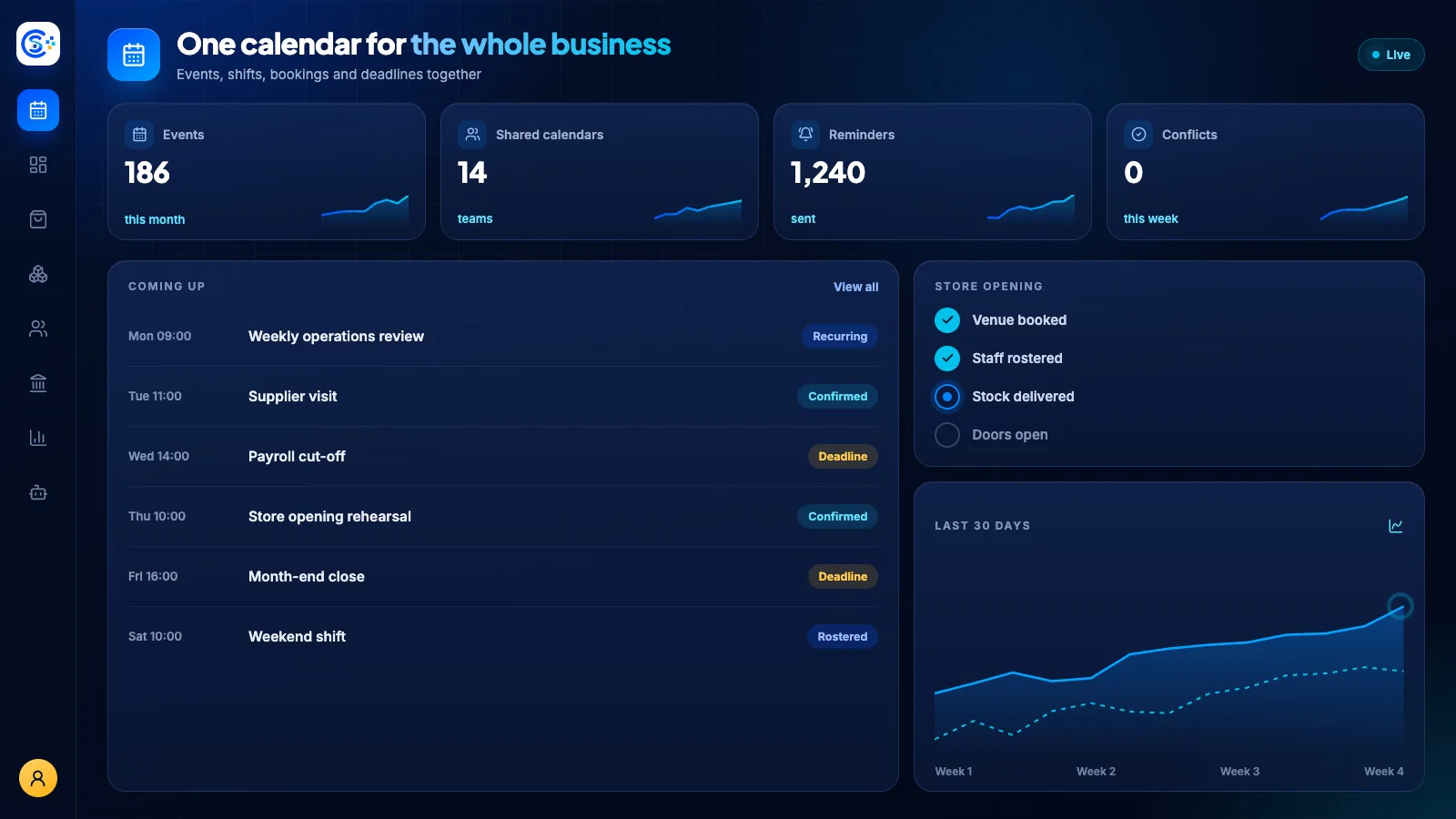
A unified team calendar where you schedule events, invite people and run meetings on Zoom, Google Meet or Teams with links created for you. Bookings, leave, deadlines and CRM dates from across your business show up automatically in one live view.
Teil einer modularen PlattformIncluded free with every planEine Datenbank · ein Login · kein erneutes Eingeben
Why it matters
AI only helps when it sees live data and respects who is asking.
Store Console AI works from your current records, follows each person’s permissions and asks for approval before it changes anything.
Was Sie erhalten
Calendar Funktionen für Ihren Workflow.
Auto-create Zoom, Meet and Teams links
Invite participants and track responses
Add task checklists to any event
Control who sees each event
Live updates and event reminders
So funktioniert es
Calendar, Schritt für Schritt.
Schedule
Create events, meetings and deadlines.
Meet online
Zoom, Google Meet and Teams links are created automatically.
Invite
Invite people and track their responses.
Stay on top
Add checklists, choose who sees each event and get live reminders.
Im Admin-Bereich
Sehen Sie Calendar in der Administration von Store Console.
Beginnen Sie mit dem, was Sie benötigen
Führen Sie Calendar auf Ihrem eigenen Server aus.
Beginnen Sie mit diesem Modul, fügen Sie bei Bedarf die umgebenden Module hinzu und speichern Sie alle Datensätze auf Ihrem eigenen Server.
Watch the tour
See Calendar at work.
One calendar for the whole team, updated live.