

Real-time stock across all warehouses
Commerce
InventoryMulti-warehouse stock control you can trust
Track available stock, reservations and movements across warehouses. Receive goods, transfer items, record adjustments and review stock history. Purchasing and accounting workflows use their connected modules.
1つの統合モジュラープラットフォームの一部Sell online — storefront, payments and operations1つのデータベース · 1つのログイン · 再入力不要
Why it matters
Sales slip when product, price, stock and delivery live in different tools.
Store Console keeps them on one record, so the price a shopper sees is the price they pay, and every order reaches stock and delivery without re-typing.
提供される機能
ワークフローに応じたInventoryの機能。
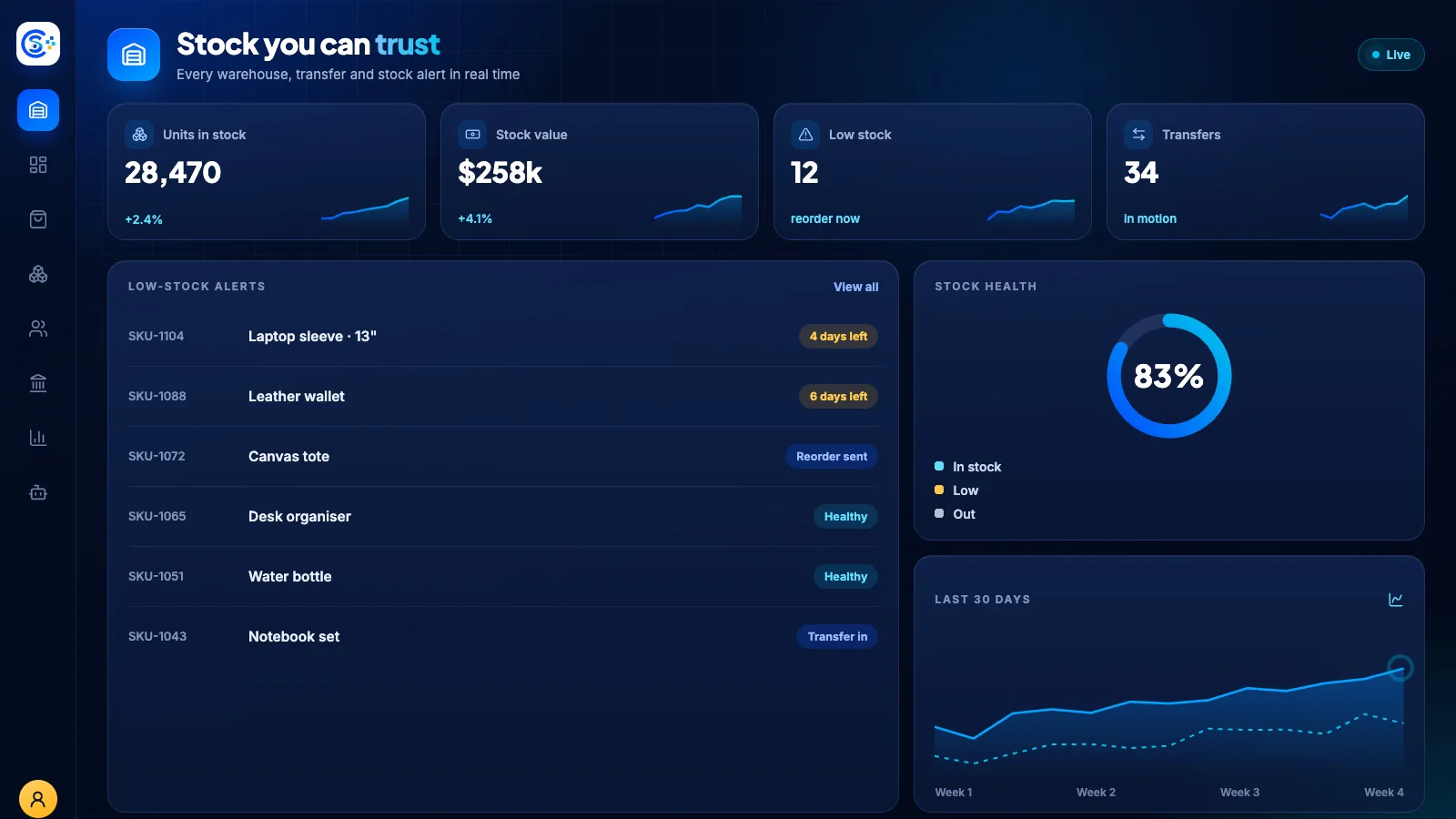
Low-stock alerts and reorder suggestions
Purchase orders and goods receipt
Warehouse-to-warehouse transfers
Reason-coded adjustments and cycle counts
Barcode lookup and batch expiry
仕組み
Inventoryを順番に。
Track every warehouse
See live stock by warehouse, updated by every sale, return and goods receipt.
Reorder in time
Low-stock alerts and reorder suggestions tell you what to buy before it runs out.
Move and count
Transfer stock between warehouses and run cycle counts with reason-coded adjustments.
Trace batches
Barcodes, batches and expiry dates keep every unit traceable from receipt to sale.
管理画面
Store Consoleの管理画面でInventoryを確認できます。
必要な機能から始めましょう
Inventoryを自社サーバーで運用できます。
このモジュールから始め、必要なときに周辺モジュールを追加してください。すべてのデータは自社サーバーに保存されます。
Watch the tour
See Inventory at work.
Warehouses, outlets, stock movements and low-stock alerts in real time, recorded in the live demo.