

Embeddable storefront chat widget
AI & content
MessagingLive chat and conversations that close more sales
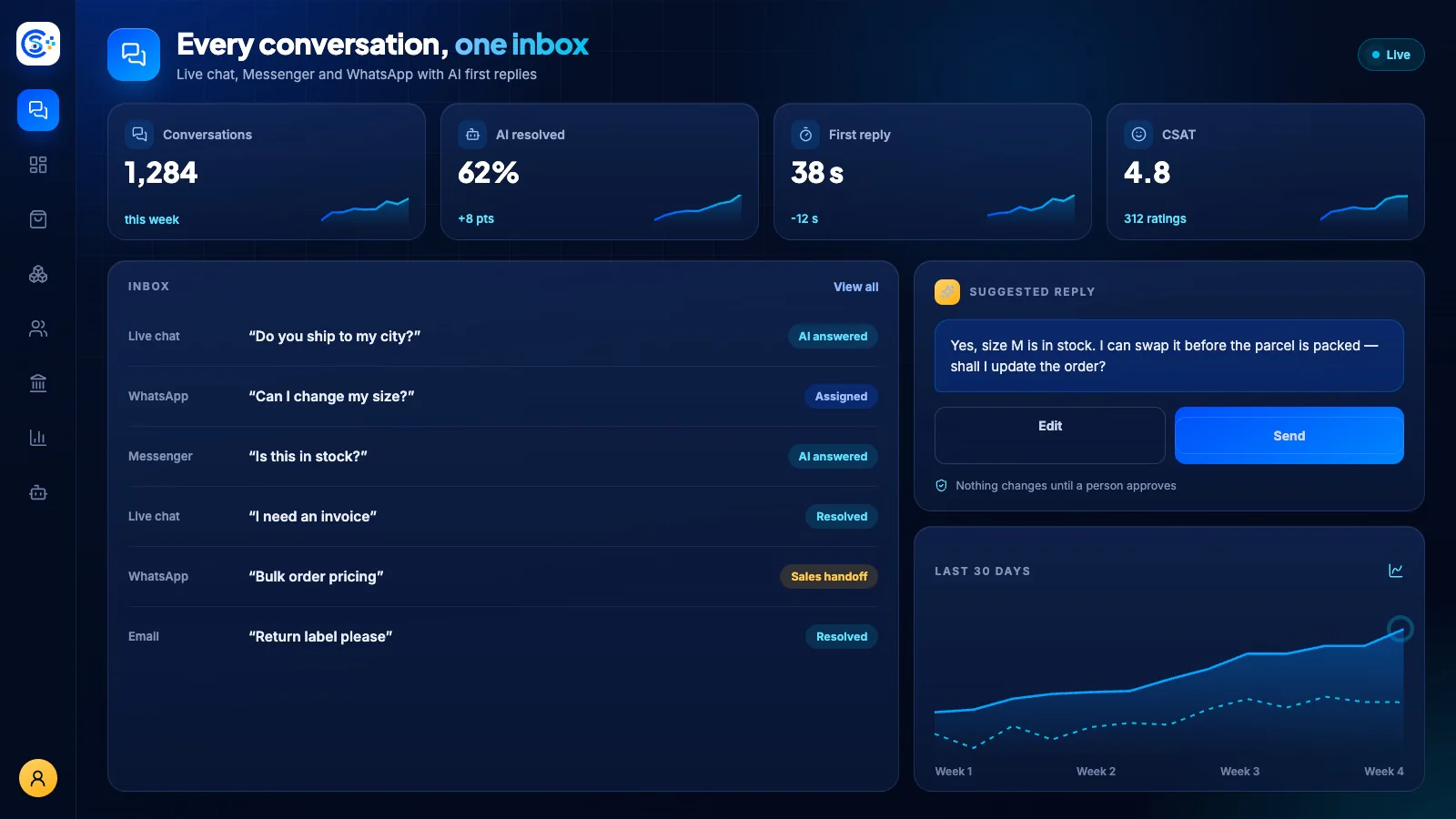
Talk to customers in real time across live chat, order conversations and an embeddable storefront widget that even greets logged-out visitors. AI can answer instantly, agents take over when needed, and service orders get their own thread to deliver work, propose charges and handle refunds.
ایک ہی ماڈیولر پلیٹ فارم کا حصہIncluded free with every planایک ڈیٹابیس · ایک لاگ اِن · دوبارہ ٹائپ نہیں
Why it matters
AI only helps when it sees live data and respects who is asking.
Store Console AI works from your current records, follows each person’s permissions and asks for approval before it changes anything.
آپ کو کیا ملتا ہے
آپ کے ورک فلو کے لیے Messaging کی صلاحیتیں۔
AI replies that hand off to agents
Real-time typing, read receipts, attachments
Per-order conversations for services
Deliver work, propose charges, refunds
Auto-close idle chats, assign agents
یہ کیسے کام کرتا ہے
Messaging، قدم بہ قدم۔
Start the chat
A chat widget lets shoppers talk to you from any page.
Answer instantly
AI replies first and hands the chat to an agent when needed.
Talk in real time
Typing indicators, read receipts and attachments, with idle chats closed automatically.
Close the order
Order conversations let you deliver work, propose extra charges and offer refunds.
ایڈمن میں
Messaging کو Store Console ایڈمن میں دیکھیں۔
اپنی ضرورت سے آغاز کریں
Messaging اپنے سرور پر چلائیں۔
اس ماڈیول سے آغاز کریں، ضرورت پڑنے پر اس کے اردگرد کے ماڈیولز شامل کریں اور ہر ریکارڈ اپنے سرور پر رکھیں۔
Watch the tour
See Messaging at work.
Every conversation, in real time.