
The full report
Typical and slowest pages, side by side.
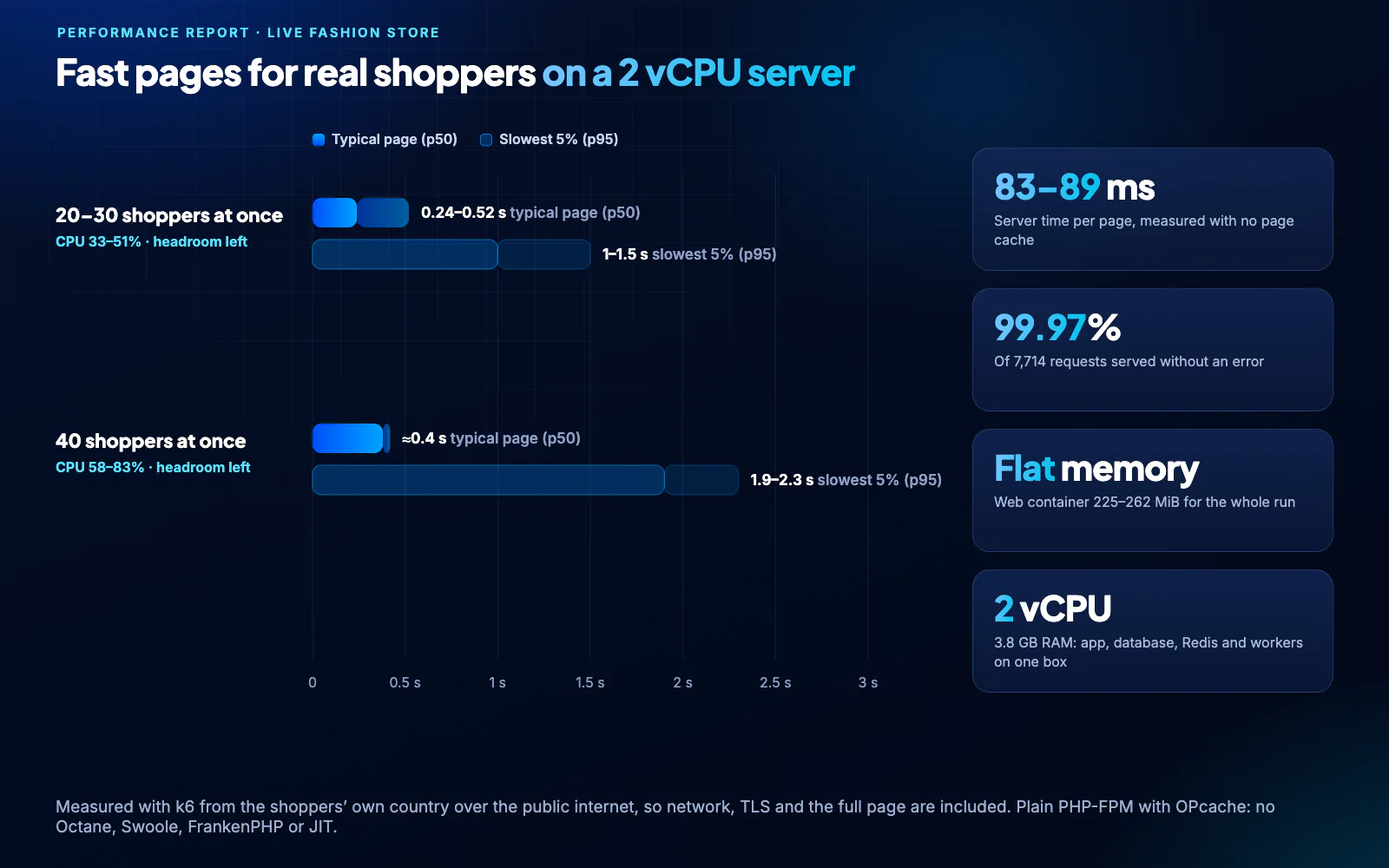
The typical page (p50) and the slowest 5% (p95), measured end to end from the shoppers’ country, next to the server time, success rate and memory from the same run.

The results below describe a specific fashion-store workload on a 2 vCPU server. Use them as a reference, then test your own catalog, traffic, enabled modules and hosting.
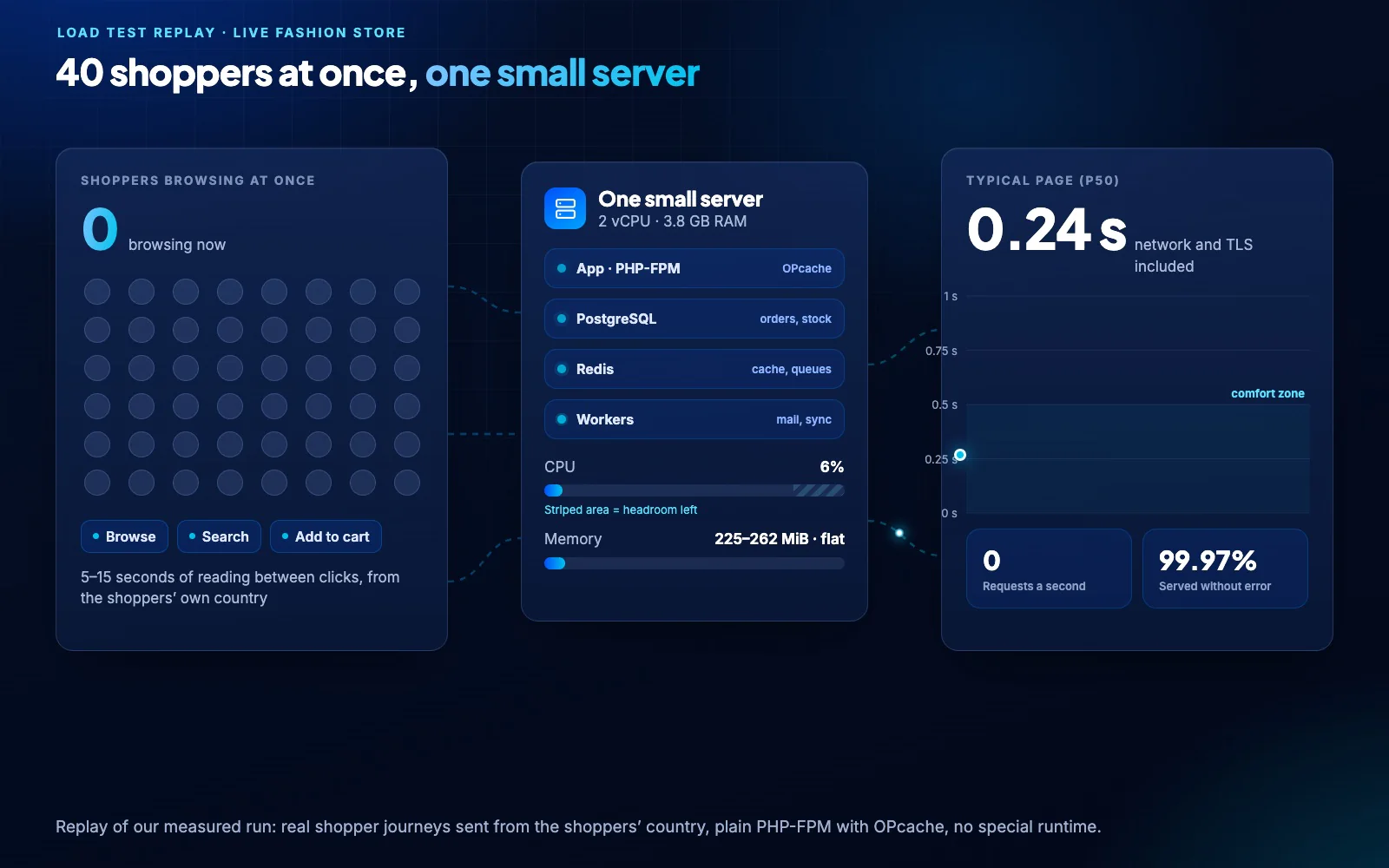
Recorded workload: 40 concurrent shoppers on 2 vCPU, about 0.4 s typical page time, 83–89 ms server time and 99.97% requests without an error. These results are not a capacity guarantee or SLA.
Application, PostgreSQL, Redis and the background workers all shared one 2 vCPU box with 3.8 GB of RAM.
Typical page in 0.24–0.52 s and the slowest 5% within 1.5 s, with the CPU at half load or less.
Typical page about 0.4 s, with the CPU at 58–83% and headroom still left.
At 12–14 requests a second, the same small box keeps up with a busy shopping hour.
The web container stayed at 225–262 MiB for the whole run, with more than 2.4 GB of RAM free.
Measured for a signed-in shopper with no page cache, the hardest case for the server.
Product search answers in about 170 ms of server time on the same small server.
Numbers you can trust come from conditions you would recognize, so we measured the way your shoppers actually arrive.
A real fashion catalog and checkout on a 2 vCPU, 3.8 GB server, with everything on one box.
70% new visitors, one to four pages each, search, add to cart and 5–15 seconds of reading between clicks.
k6 sent traffic from the shoppers’ own country with gzip on, and every virtual shopper had its own session.
Network and TLS included in page times, no page cache in server times, and plain PHP-FPM with OPcache.
Review the implementation choices and measured conditions below. Performance still depends on your data, integrations, cache state, hosting and the work each request performs.
The typical page (p50) and the slowest 5% (p95), measured end to end from the shoppers’ country, next to the server time, success rate and memory from the same run.
Every page renders on the server and is readable before any script runs. Data that is the same for every visitor ships as cached files, and modules start only when a request needs them.
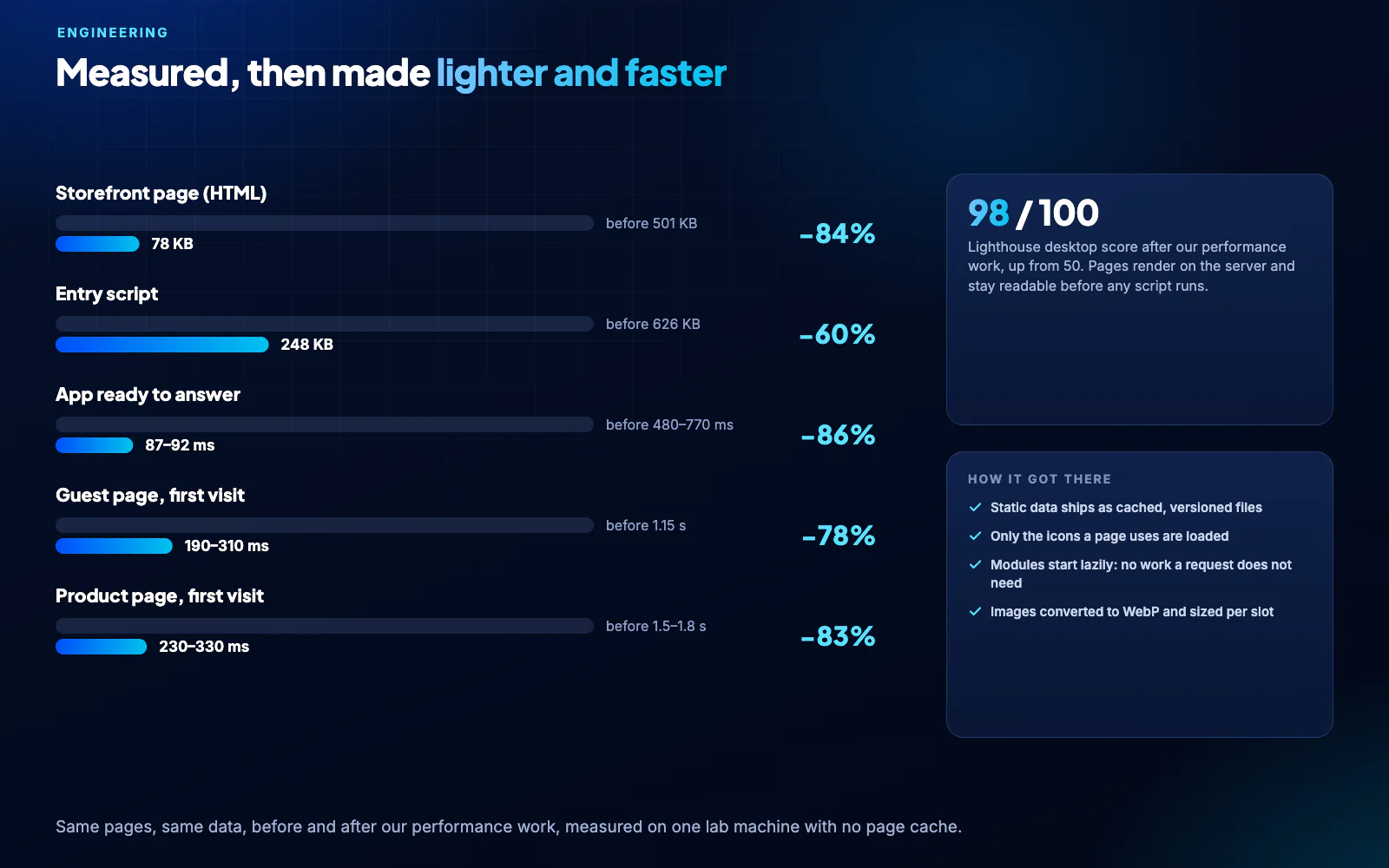
These numbers come from standard PHP-FPM with OPcache. No Octane, Swoole, FrankenPHP or JIT, so you get the same speed on any Linux server with Docker and nothing exotic to maintain.
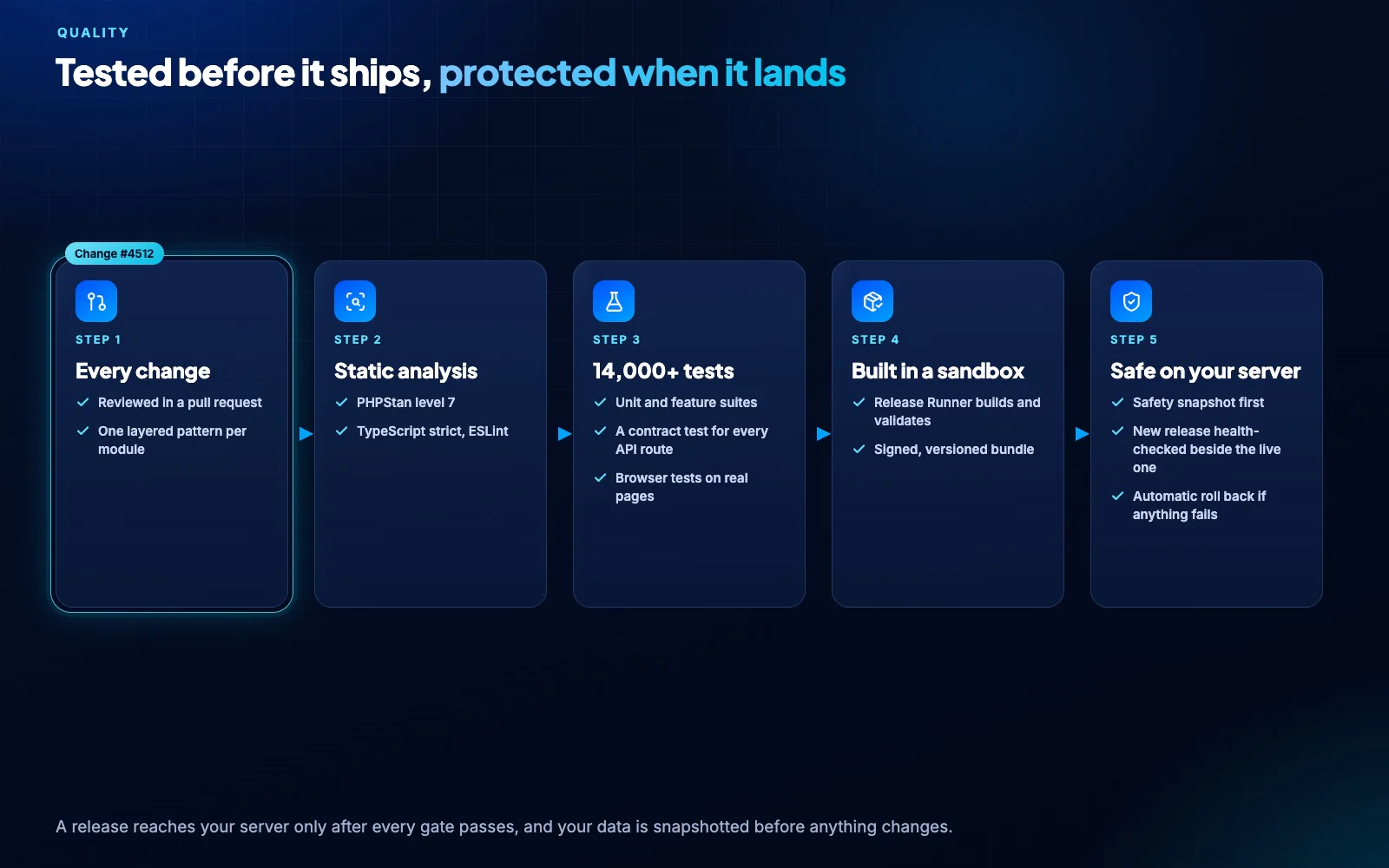
Static analysis and more than 14,000 automated tests run before a release is built, so a new feature never quietly makes your store slower or less reliable.
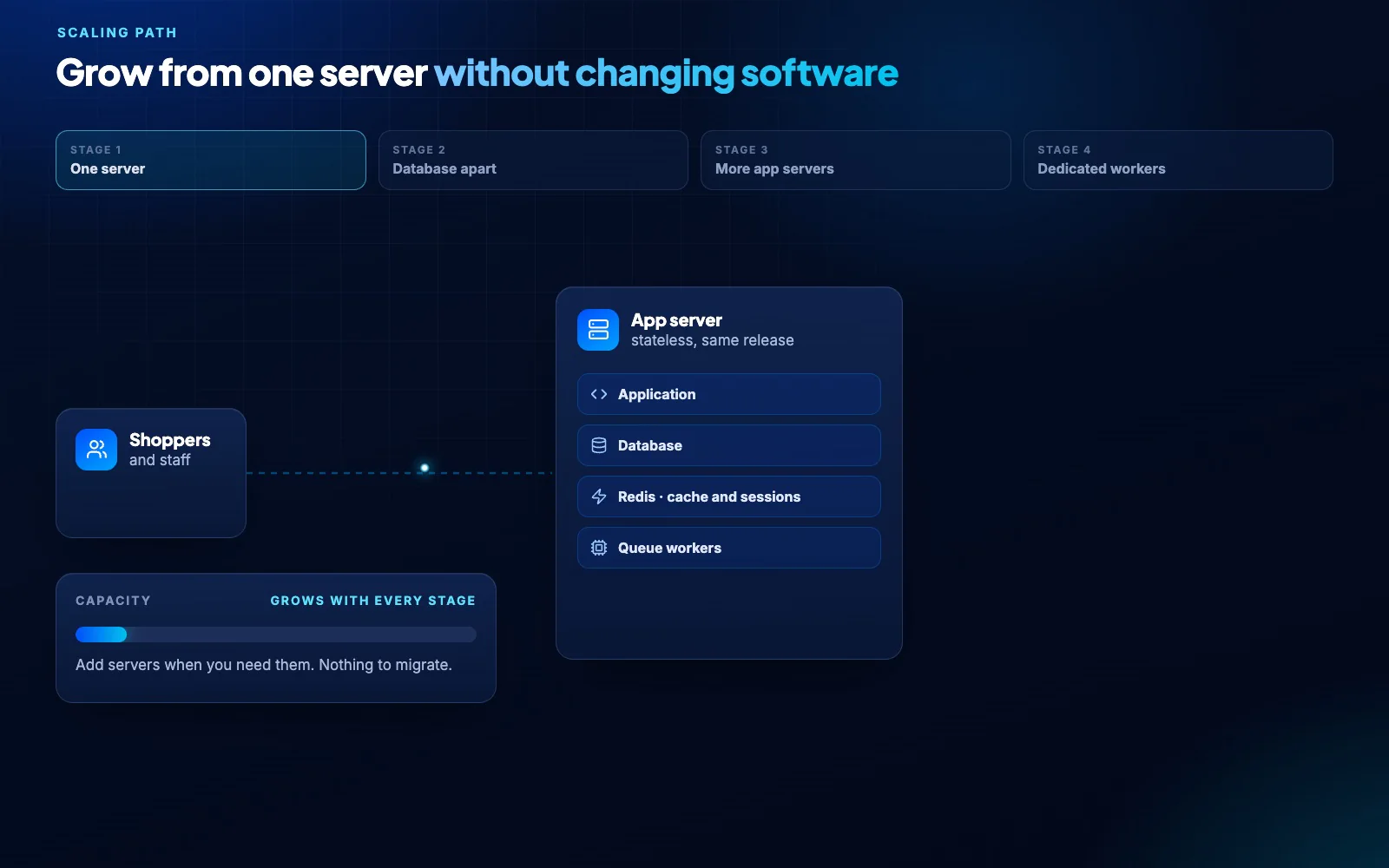
The application is CPU-bound and keeps no local state, so capacity grows with cores: move to 4 vCPU, give the database its own server, then add app servers behind a load balancer.
On a comparable 2 vCPU server close to your shoppers, yes. Page times include the network, so hosting near your customers matters as much as the server size.
People actively browsing at the same moment, each reading for 5–15 seconds between clicks. A store with 40 of them at once is serving thousands of visitors a day.
Move to 4 vCPU first, then give the database its own server, then add app servers behind a load balancer. The software and the data stay the same at every step.
Yes. Guest pages are cached per host and language, so repeat visits skip the database, and you can add a CDN in front. The server times on this page were measured with no page cache.
You do not need them. Standard PHP-FPM keeps hosting simple and predictable, and the application is already lean enough to be fast without a special runtime.
Build your plan, deploy with Docker and see the speed with your own catalog.