 ई-कॉमर्स
Social Media से Sales: Campaign, Scheduling और AI Prompts
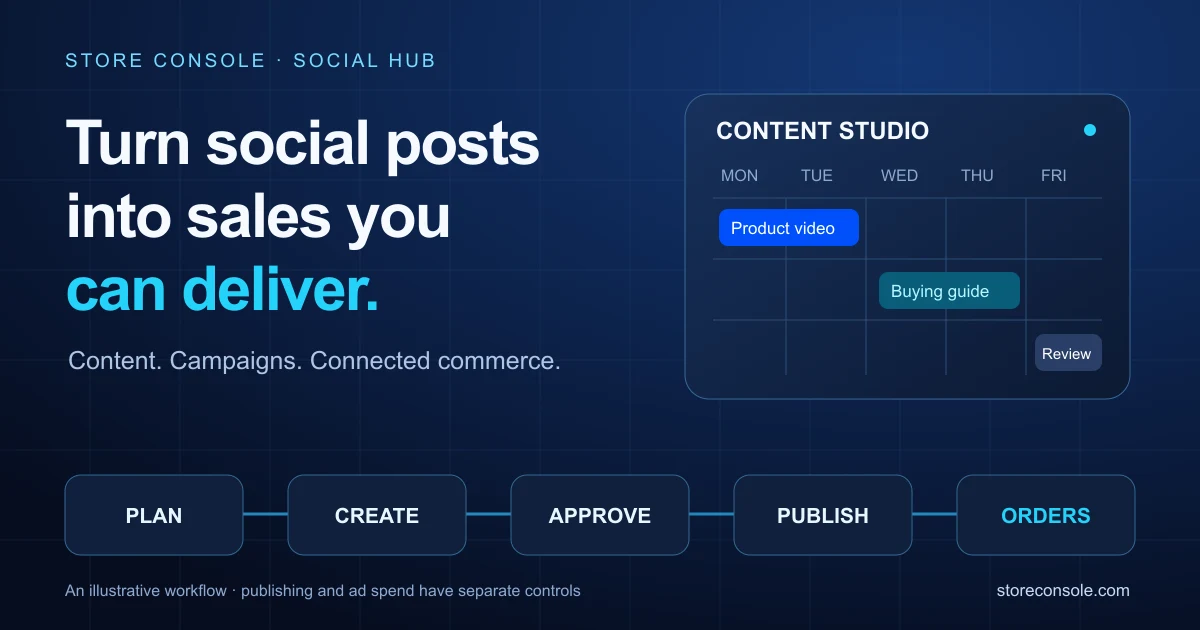
Social Hub से content schedule और Meta campaigns review करें। चार AI prompts के साथ ecommerce और ERP records से marketing का असली परिणाम समझें।
Anichur Rahaman2 घंटे पहले7मिनट
Stock जाँच, customer confirmation, verified payment, messaging permission और human handoff से chat orders सँभालें। 2026 के लिए reviewed guide।
लेखक
Anichur Rahaman

सोचिए, Instagram story के बाद एक lighting shop में chats बढ़ गई हैं। ग्राहक ग्रे lamp पूछता है। Operator याद से “available” कह देता है; फिर payment screenshot आता है। यह teaching example है, customer case study नहीं।
आख़िरी lamp counter पर पहले ही बिक चुका है। Quote 54 currency units का है, screenshot 48 का; address voice note में है। कई बातें जाँचनी हैं, लेकिन agreed order reference या भरोसेमंद payment state नहीं।
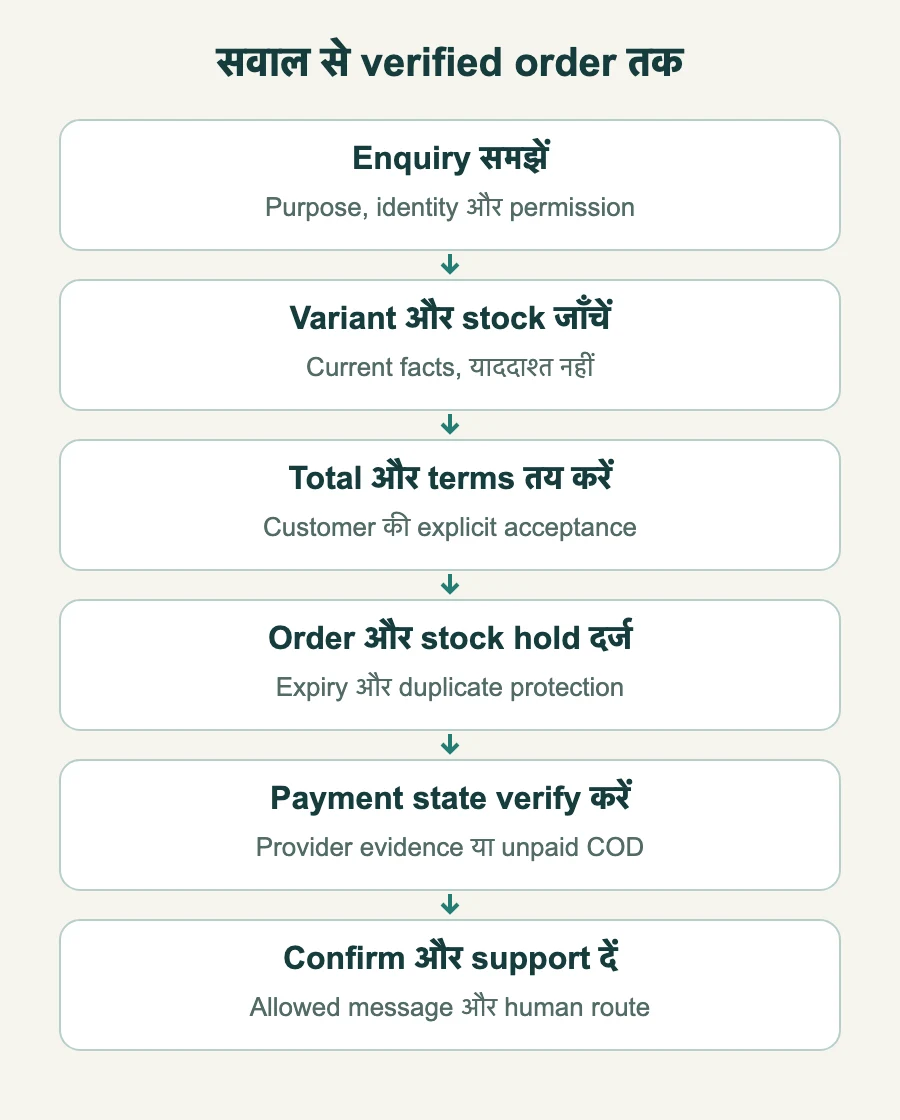
काम का बदलाव conversation को controlled order process से जोड़ना है। Enquiry, stock, quote, order, payment और support का रास्ता समझेंगे। Messaging policy review: 4 नवंबर 2026। Launch से पहले account permissions और effective pricing जाँचें।
पहचाने हुए app में product का सवाल chat आसान कर सकती है। हर form, identity check या checkout step नहीं हटता। मदद चाहने वालों को chat दें और self-service चाहने वालों का रास्ता भी साफ़ रखें।
Conversation variant, delivery option या published policy समझा सकती है। जवाब reliable information से हो; availability या Friday delivery का तेज़ अंदाज़ा ऐसा वादा बना सकता है जो पूरा न हो। अच्छी product page और इंसानी मदद साथ काम करती हैं।
सही integration पर modern inbox order और stock दिखा सकता है। अकेला thread reservation, payment capture या courier booking का प्रमाण नहीं। हर fact का authoritative record और owner हो।
Chat और operations के बीच बिखरा काम मापें। जैसे:
Handling time, exceptions और completed deliveries की baseline रखें। ज़्यादा chats या accepted orders अपने-आप profit नहीं; messaging, staff time, returns और payment failures भी मायने रखते हैं।
Enquiry, draft, accepted order और payment state अलग रखें। Price पूछना order देना नहीं है। Confirmation screenshot bank record नहीं।
अपने business rules के अनुसार छह checkpoints अपनाएँ:
StoreConsole demo में order entry, stock और payment records जाँचें। End-to-end scope से पहले specific chat connector, provider contract, account permissions और supported messages अलग confirm करें। Shared platform में भी identity mapping, reservation rules और access control सही चाहिए।
WhatsApp Business App और Business Platform अलग products हैं। Account के supported workflow, provider और API permissions देखकर setup चुनें। Chat button या feature list देखकर integration मान न लें।
Recipient permission और outreach purpose दर्ज करें; opt-out मानें। Support enquiry unrelated promotions की blanket permission नहीं। हर button click को marketing consent मानने के बजाय choice का evidence रखें।
WhatsApp policy user message के 24 घंटे के भीतर बिना template reply की अनुमति देती है; नया user message window फिर शुरू करता है। बाहर permitted purpose का approved template चाहिए। Content rules और account restrictions लागू रहते हैं।
Eligible ad या Page-CTA entry पर 72 घंटे का pricing benefit हो सकता है। Provider से eligibility और start/end जाँचें। Pricing benefit अलग free-form messaging permission को नहीं बढ़ाता।
Utility, authentication और marketing templates के purposes अलग हैं; pricing overview में service भी category है। Table routing checklist है, tariff नहीं। असली purpose और approval status जाँचें।
| स्थिति | Permission check | Budget check |
|---|---|---|
| Product question | Service window और permitted content | Current account rules/provider charges |
| Window के बाद order update | जहाँ उचित हो approved utility template | Market, rate और benefits |
| Promotion या restock campaign | Permitted outreach और ज़रूरी marketing template | Effective rate और exceptions |
| Verification code | Permitted authentication और approved template | लागू authentication/international rate |
| Eligible ad/Page entry | Window/template checks अलग | Eligibility, duration और provider fees |
Effective rate card और provider contract से budget बनाएँ: billable event, recipient market, category, currency, volume tier, benefit, provider fee और tax। Metered events को delivery records और invoices से मिलाएँ। “भेज सकते हैं?” और “कितना ख़र्च?” अलग हैं। Marketing template पर हमेशा Meta charge या सबसे ऊँचा rate लगेगा, ऐसा न मानें।
Provider, account और business use case के current terms में AI इस्तेमाल करें। Model को कौन-सा data मिलता है, retention और authorised human takeover लिखें। हर customer-service bot सभी restrictions से अपने-आप exempt नहीं है।
Instagram और Messenger की permissions, windows और message types अलग हैं। हर connector की current documentation देखें; WhatsApp template या pricing rules दूसरी जगह न ले जाएँ। Product/campaign reference रखें ताकि staff context समझे।
ज़रूरी order, preference और consent evidence governed system में रखें। वही export करें जिसे रखना अधिकृत है, staff access सीमित करें और retention तय करें। पूरा inbox export unrestricted marketing list नहीं।
Payment evidence order से जोड़ें। Provider payment का source, reference, amount, currency और status verify करें। Authorised, captured, failed, refunded और settled अलग हों। Duplicate callback से दूसरा payment या order न बने।
Deposit हो तो acceptance से पहले amount, balance और cancellation/refund terms बताएँ; published policy समान रूप से लागू करें। Chat “YES” या advance choice का evidence है, failed delivery या disputes रोकने की guarantee नहीं।
Current source और scoped access पर AI approved low-risk facts में मदद कर सकता है। Guessed number से private order न खोजे या lookup fail होने पर price न गढ़े। Clear pending state और accountable human route दें।
| काम | Accountable handling | Control |
|---|---|---|
| Public FAQ | Approved sources से AI मदद | Current policy और human route |
| Price/availability | Scoped catalogue lookup | Reservation पर फिर जाँच; guess नहीं |
| Private order status | Verified customer, authorised lookup | सिर्फ़ उसी customer की permitted information |
| Address/discount change | Authorised staff या bounded approved policy | State, limits और audit evidence |
| Complaint/refund | Authorised person और clear queue | Empathy, authority, minimal context |
| Outage/uncertainty | Visible pending state और operator | Bounded retry, duplicate transaction नहीं |
Customer messages untrusted input हैं, rules bypass की permission नहीं। Identity, order ownership, discounts और refunds server पर enforce हों। Handoff में authorised staff को relevant permitted context दें; secrets या दूसरे customer की thread नहीं।
Cohort और time window तय करें। Conversations, customers और orders अलग गिनें। इन measures को decision से जोड़ें:
Illustrative हिसाब: 400 eligible conversations में 72 से कम-से-कम एक accepted order बना, यानी 18%। Hypothetical 21% का अर्थ 84 converted conversations होगा। इससे faster reply cause था या orders profit के साथ delivered हुए, साबित नहीं होता। समान cohorts और handling costs तुलना करें।
ग्रे lamp पर लौटें। सही stock check में zero है, इसलिए operator उस पीस का वादा या payment request नहीं करता। Verified alternative दे सकता है या restock notification की permission माँग सकता है। पैसा आ चुका हो तो authorised resolution वाला visible exception बने। Chat साफ़ दिखाने के लिए काल्पनिक order number न बनाएँ।
समीक्षा: 4 नवंबर 2026। WhatsApp public policy page की तारीख़ 23 सितंबर 2026 है। Official links permissions, categories और pricing बताते हैं; actual setup में effective account/provider terms लागू हैं। हिसाब और lamp story teaching examples हैं, promised results नहीं।
अनिचुर रहमान सॉफ़्टवेयर आर्किटेक्ट और StoreConsole के संस्थापक हैं। वे बढ़ते कारोबारों के लिए कॉमर्स और ERP सिस्टम डिज़ाइन करते हैं — ख़ास ध्यान event-driven आर्किटेक्चर, डेटा की शुद्धता और अपने सर्वर पर चलने वाले सिस्टम पर।
लेखक का परिचय
Anichur Rahaman
पढ़ना जारी रखें