Social Media से Sales: Campaign, Scheduling और AI Prompts
Social Hub से content schedule और Meta campaigns review करें। चार AI prompts के साथ ecommerce और ERP records से marketing का असली परिणाम समझें।
लेखक
Anichur Rahaman
3 घंटे पहले7 मिनट पढ़ें
मान लीजिए सोमवार सुबह एक छोटी electronics store की टीम campaign शुरू करने वाली है। Product video तैयार है, chat में तीन captions भी हैं और कोई कहता है, “Post boost कर देते हैं।” लेकिन एक ज़रूरी सवाल का जवाब साफ़ नहीं है: video देखने वाला ग्राहक किस product page पर जाएगा, और order आने के बाद अगला काम कौन करेगा?
यह काल्पनिक उदाहरण है, लेकिन परेशानी परिचित है। अच्छा creative ध्यान खींचता है; जुड़ा हुआ workflow उस रुचि को ऐसी sale बनाता है जिसे business पूरा कर सके। इसलिए ecommerce का social content catalog, stock, customer conversations और orders से जुड़ा होना चाहिए।
इस guide में Store Console Social Hub से campaign plan करना, content upload और schedule करना, paid activity review करना और orders से सीखना समझेंगे। चार उपयोगी AI prompts भी हैं—advertising budget का नियंत्रण अपने पास रखते हुए।
Video में पूरा business flow देखें
हमारे existing English product walkthrough का हिस्सा, English captions के साथ। Example data से AI content, customer conversations और connected workflows दिखाए गए हैं। Automatic actions active modules, settings और permissions पर निर्भर हैं।
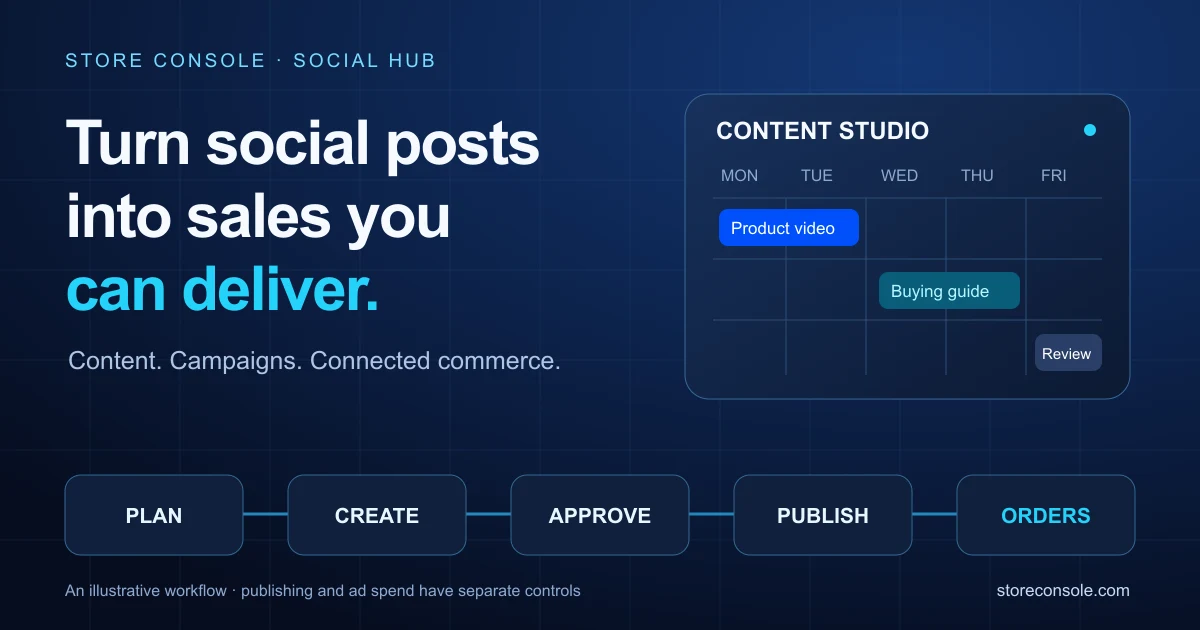
पूरा रास्ता है: एक message → reviewed creative → scheduled post → सही destination → verified order → business review। Organic post और paid ad का message एक हो सकता है, लेकिन publishing और spend approval अलग प्रक्रियाएँ हैं।
1. Caption से पहले sales brief लिखें
एक audience, एक समस्या और एक next step चुनें। Compact power bank के लिए समस्या हो सकती है कामकाज के दिन phone charged रखना। Product दिखाएँ, verified specifications बताएँ और interested buyer को product page पर भेजें। बिना प्रमाण “सबसे तेज़”, “सबसे अच्छा” या battery life का दावा न करें।
Brief छोटा रखें: product URL, confirmed price और stock, approved offer dates, साबित किए जा सकने वाले claims, creative format, owner और ग्राहक का अगला कदम। जो product deliver नहीं कर सकते, उसे sales campaign का मुख्य आकर्षण न बनाएँ।
2. एक idea से संभालने योग्य सप्ताह बनाएँ
छोटी sequence से शुरू करें। नीचे planning example है; इसका मतलब यह नहीं कि यही दिन या समय हर audience के लिए सबसे अच्छा होगा।
दिन 1: छोटे video में समस्या और एक स्पष्ट benefit दिखाएँ।
दिन 3: compatibility, delivery या warranty का सवाल अपनी वास्तविक policy से हल करें।
दिन 5: comparison या demonstration और सही link से निर्णय में मदद करें।
दिन 7: अगले cycle से पहले visits, conversations, orders और fulfilment का परिणाम देखें।
हर channel के लिए caption और format ढालें। एक ही video upload करने का मतलब यह नहीं कि audiences, link behaviour और publishing requirements भी समान हैं।
3. Content Studio में upload, review और schedule करें
सही accounts connect करें। Social Hub → Connections में ज़रूरी channels authorise करें। Account permissions, provider approval और supported formats से तय होता है कि क्या publish हो सकता है।
Post बनाएँ। Content Studio में New post चुनें, supported channels और format तय करें। Media library या accessible public URL से video/image जोड़ें।
Message ढालें। Channel-specific captions लिखें, available previews देखें और सही product/campaign URL दें। Caption link clickable न हो तो उस channel का supported destination इस्तेमाल करें।
तथ्य जाँचें। Price, stock, spelling, offer dates, media rights और audience जाँचें। AI suggestions और recipes को उचित approval चाहिए।
समय पक्का करें। Date, time और timezone देखकर Schedule करें। Core Calendar active हो तो shared Content Studio में authorised Social, Blog और Product publications साथ दिख सकती हैं। हर module के records और permissions अपने रहते हैं।
परिणाम सत्यापित करें। हर channel पर published result देखें। Partial failure में कारण ठीक करके authorised retry करें। Temporary failures में backoff है; पहले से published channels दोहराए नहीं जाते।
Scheduled होने का मतलब delivered होना नहीं है। Expired connection, provider processing या account restriction से publication रुक सकता है। TikTok के unaudited API clients का content private visibility तक सीमित रहता है; इसकी official Direct Post guide देखें।
4. Paid campaigns सोच-समझकर चलाएँ
Social Hub Ads Manager में connected Meta, Google Ads, TikTok, LinkedIn और X accounts के platform tabs से reports और supported controls मिलते हैं। नया campaign बनाने वाला builder फिलहाल केवल Meta के लिए है। हर platform पर वही control या creation flow मानकर न चलें।
Meta campaign के लिए ad account और relevant Pixel चुनें; objective, approved assets और budget ceiling तय करें। खुद proposal बनाएँ या AI से draft माँगें। Approval के बाद नया campaign paused बनता है। Authorised व्यक्ति targeting, destination, total budget और tracking देखकर activate करे, फिर provider status भी जाँचे।
Daily budget cap खर्च नियंत्रित करने में मदद करता है, profit की guarantee नहीं देता। Organic post schedule करने से paid campaign अपने-आप नहीं बनता या activate नहीं होता। Spend review की ज़िम्मेदारी स्पष्ट रखें।
5. काम आने वाले चार AI prompts
Brackets में verified जानकारी भरें। ये prompts drafts या analysis माँगते हैं; publishing, activation, budget change या customer outreach की अनुमति नहीं देते।
Prompt A — सप्ताह की योजना
Ecommerce content strategist की तरह [product URL] और [audience] के लिए सात दिन का plan बनाओ। केवल [verified specifications, price, stock और offer dates] इस्तेमाल करो। तीन posts सुझाओ; प्रत्येक का objective, channel, format, opening hook और CTA दो। Missing facts बताओ। सब drafts रखो; schedule या publish मत करो।
Prompt B — स्वाभाविक caption
[Channel] के लिए इस approved video [URL] पर तीन Hindi captions लिखो, परिचित English product terms रखते हुए। Audience: [buyer]। [Verified evidence] से एक benefit समझाओ, [buying doubt] का उत्तर दो और [approved CTA] पर खत्म करो। Discount, testimonial, specification या urgency मत गढ़ो। Channel limits मानो। केवल drafts दो।
Prompt C — Ad proposal
[Product] के लिए [goal] objective और maximum daily budget [amount और currency] के साथ Meta campaign proposal तैयार करो। Audience assumptions, destination URL, approved creative और tracking checks दिखाओ। Missing permissions या data बताओ। Review के लिए साफ़ दिखाओ कि क्या बनेगा। कुछ activate या existing budget change मत करो।
Prompt D — निष्पक्ष review
मेरे role को उपलब्ध data से [date range और timezone] के लिए [campaign] review करो। Spend, visits, conversations, attributed orders, delivered orders, cancellations और refunds अलग दिखाओ। Attribution window और missing data बताओ। एक creative test और एक operational improvement सुझाओ। Settings बदलना या customers से संपर्क मत करना।
6. उस sale को मापें जो business ने वास्तव में रखी
Views और clicks creative समझने में मदद करते हैं; profitability साबित नहीं करते। जहाँ supported हो, consistent campaign identifiers और UTM parameters रखें। Conversions समझने से पहले tracking health और applicable consent settings देखें। Ad-platform attribution की तुलना अपने order और delivery records से करें; दोनों totals समान होने की अपेक्षा न रखें।
काल्पनिक उदाहरण: 200 currency units के ad spend और 1,000 attributed revenue से 5× ROAS मिलता है। Assumed gross margin 30% हो तो gross profit 300 है, advertising के बाद 100—दूसरे operating costs घटाने से पहले। Returns, delivery, payment fees और attribution basis परिणाम बदल सकते हैं। Margin-based “profit ROAS” estimate है, net profit नहीं।
Checkout के बाद की स्थिति भी देखें। गलत stock, देर से replies या failed delivery अच्छे ad की उपयोगिता घटाते हैं। Connected ecommerce और ERP records marketing review को इन वास्तविक कामों से जोड़ते हैं।
अक्सर पूछे जाने वाले सवाल
क्या हर teammate calendar देख और बदल सकता है?
नहीं। Active modules और role permissions से visible sources और actions तय होते हैं। View, edit, schedule, cancel, retry और approve अलग ज़िम्मेदारियाँ हैं। Shared navigation से access नहीं मिलता।
क्या AI खुद ads चलाएगा या सब publish करेगा?
ये prompts proposals माँगते हैं। वास्तविक behaviour available tool, configured autonomy और permissions पर निर्भर है। Risky changes review माँगते हैं; Meta creation flow paused शुरू होता है। AI response की बजाय final state verify करें।
छोटी टीम कहाँ से शुरू करे?
एक product, एक connected channel और एक review owner चुनें। छोटी approved sequence publish करें, परिणाम सत्यापित करें और सबसे कमज़ोर step सुधारें। पूरे flow को reliably चलाने के बाद विस्तार करें।
अगला campaign चलाना आसान बनाएँ।Store Console guides पढ़ें, फिर ज़रूरत के ecommerce, ERP और Social Hub capabilities के साथ अपना plan बनाएँ। ग्राहक से स्पष्ट वादा करें और delivery तक उसे निभाने का workflow तैयार रखें।


 बिज़नेस स्ट्रैटेजी