One self-hosted console to run your entire business — commerce, ERP, HRM, CRM & manufacturing
Security and privacy

Your data stays on your server.Protected in six layers.

Store Console runs on infrastructure you control. There is no shared cloud to breach and no vendor copy of your records. Every request passes the same checks, and every change is recorded.

Self-hostedPasskeys and two-factor sign-inPermission check on every routeVerified backups
Animated security layers: a sign-in from an unknown device is blocked at identity, then an approved request passes network, identity, permission, data, AI and recovery checks
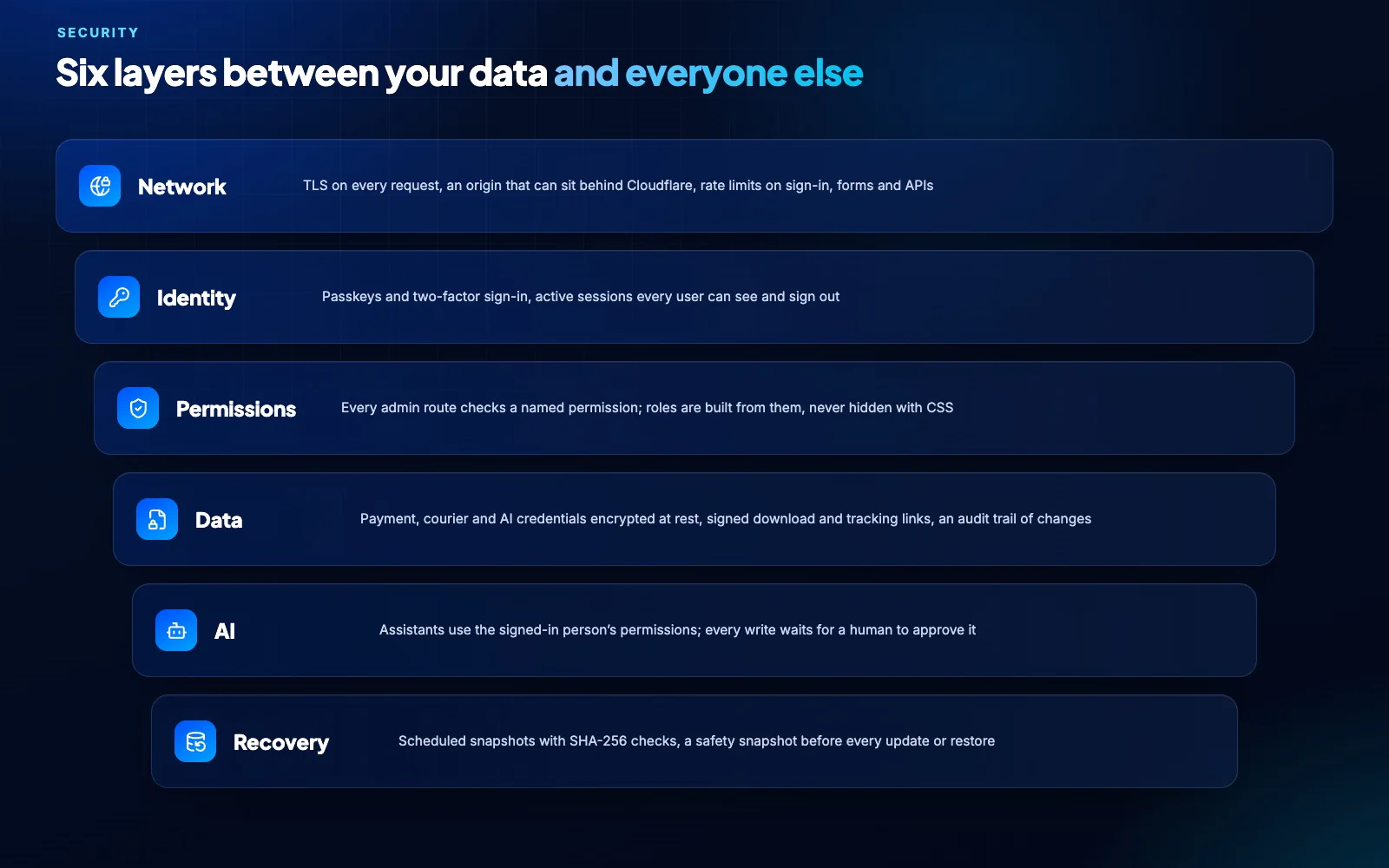
Every request passes six layers before it reaches your data
6Security layers on every request
0Copies of your business data with us
SHA-256Check on every backup snapshot
1 clickSafe update with automatic roll back
How we protect it

Privacy by architecture, security by default.

The safest data is data that never leaves your control. Everything else is guarded in layers you can see and audit.

Privacy

Your data stays home. You choose what leaves.

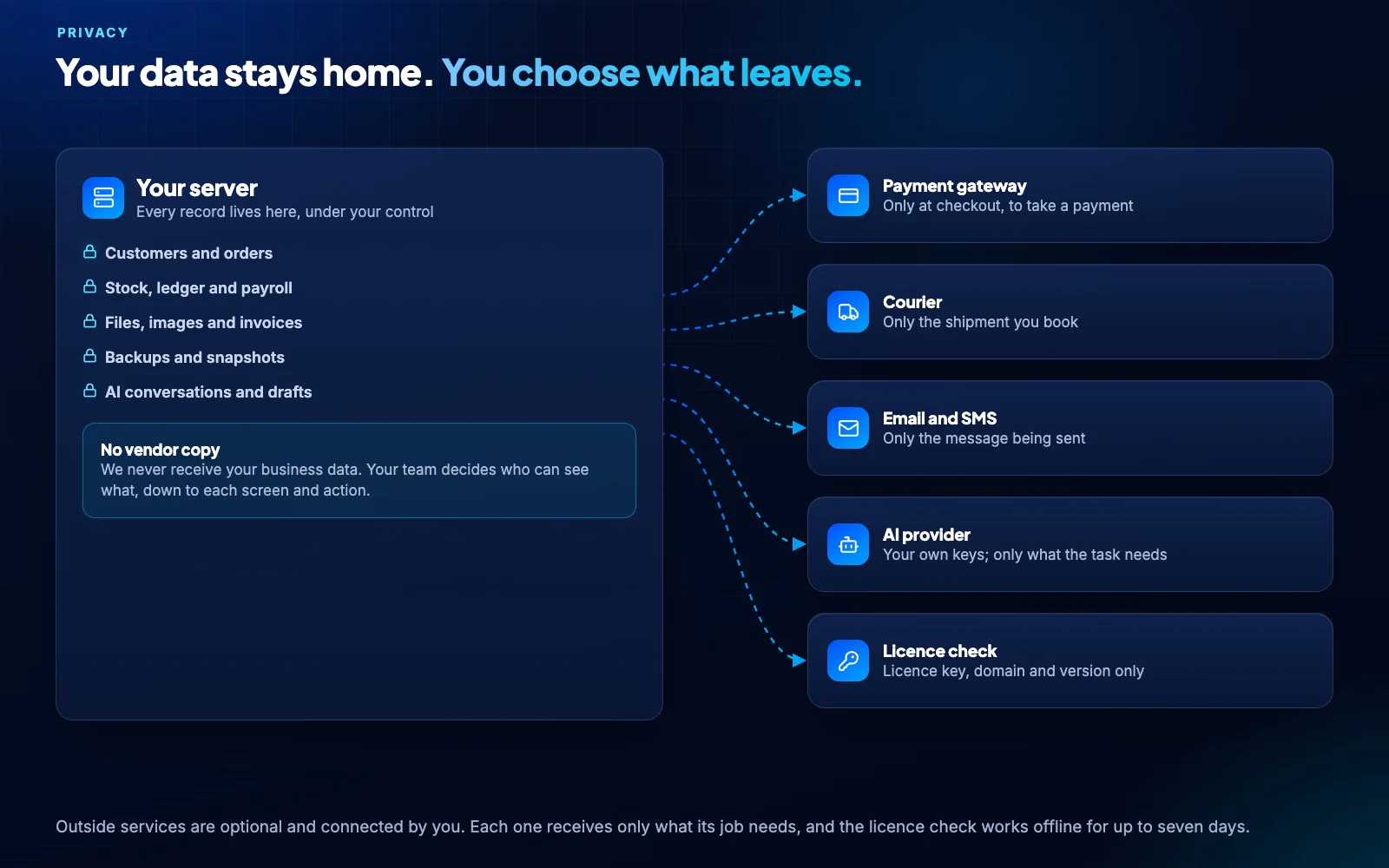
Customers, orders, the ledger, payroll, files and backups live on your server. Outside services are optional, connected by you, and each receives only what its job needs.

  • Payment gateways see a payment only at checkout
  • Couriers see only the shipment you book
  • AI providers use your own keys and see only what a task needs
  • The licence check sends your licence key, domain and version, nothing else
  • Marketing pixels load only after a visitor accepts cookies, when consent is required
Records stay on your server; a payment, a parcel, an email, a question and the licence check each send only what their job needs, and a request to copy customer data is blocked
Six layers

Every request is checked, every time.

From the network edge to recovery, each layer has one job. Together they keep the wrong people out and give the right people exactly the access they need.

  • Network: TLS everywhere, rate limits on sign-in, forms and APIs
  • Identity: passkeys, two-factor sign-in and sessions each user can see and end
  • Permissions: every admin screen and action checks a named permission
  • Data: payment, courier and AI credentials encrypted at rest, signed links for downloads and tracking
  • AI: assistants act with the signed-in person’s permissions and wait for approval
  • Recovery: scheduled snapshots verified with SHA-256
Safe updates

Security fixes arrive weekly and land safely.

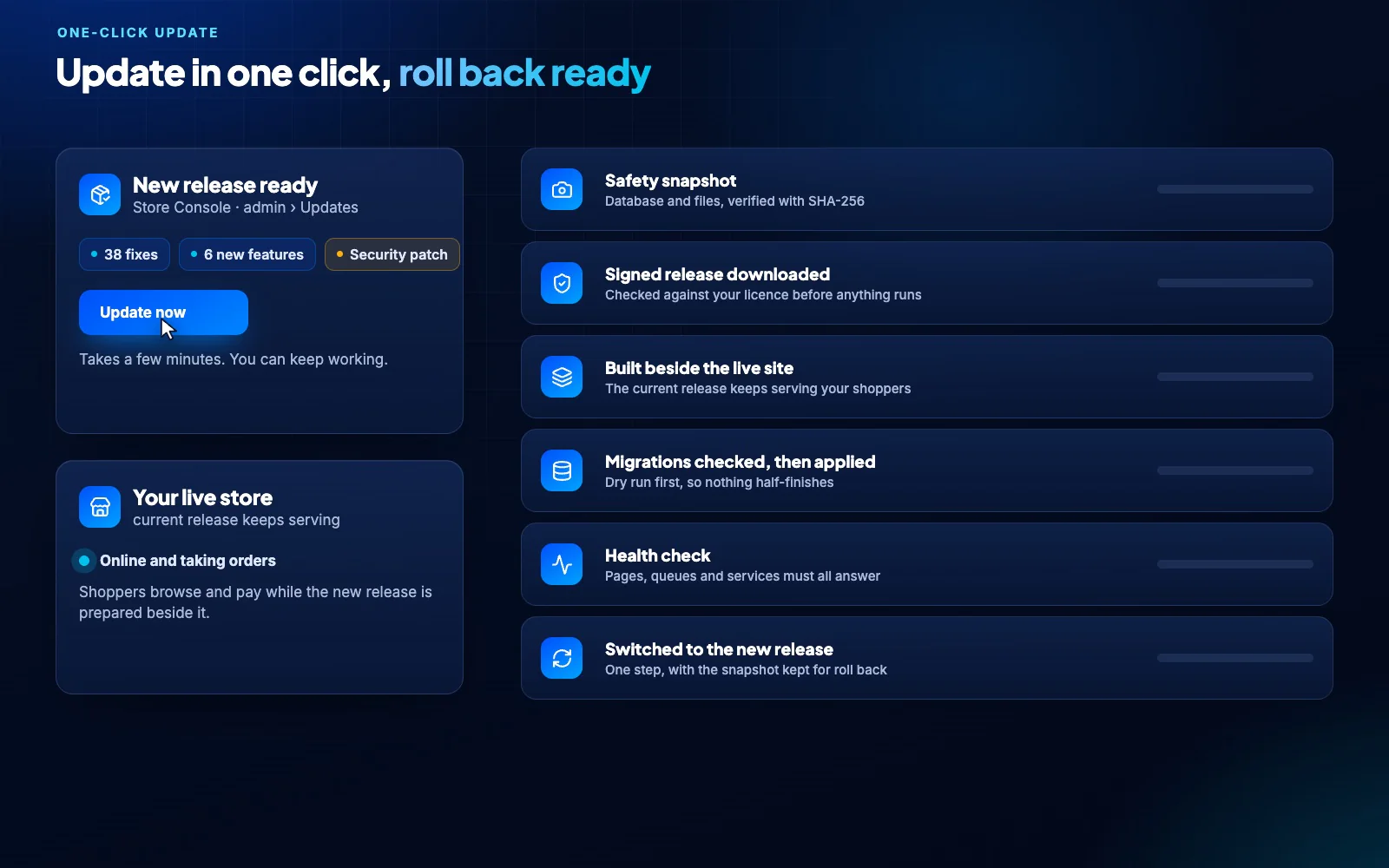
A new release ships every week. It installs with one click after a safety snapshot, is health-checked beside the live site, and rolls back on its own if anything fails.

A one-click update: safety snapshot, signed release, built beside the live site, migrations checked, health check and switch, with automatic roll back on failure
What it means for your business

Security that pays for itself.

Good security is not only about stopping attacks. It is about owning your customer relationships, passing audits and recovering fast.

You own every relationship

Customer data never sits in a vendor’s database. Change hosts or providers whenever you like.

Data in the country you choose

Host where your customers and your regulations are. Data residency is your decision.

Fewer people, less risk

Roles built from named permissions mean each person sees only the work they do.

Ready for audits

Admin changes are logged, and manufacturing records carry e-signatures and a tamper-evident audit chain.

Back in business fast

Verified snapshots and one-click restore turn a bad day into a short one.

AI you can trust

Assistants never act beyond the user’s permissions, and nothing is written until a person approves.

Controls at a glance

Built in, switched on, nothing extra to buy.

TLS on every request
Rate limits on sign-in, forms and APIs
Passkeys and two-factor sign-in
Active sessions each user can end
Permission check on every admin route
Role-scoped API tokens
Payment, courier and AI credentials encrypted
Signed download and tracking links
Activity log of admin changes
Spam protection on public forms
Cookie consent before marketing pixels
SHA-256 verified backup snapshots
Security questions

What security teams ask us.

Does Store Console send our data anywhere?

No. Your records stay on your server. Services you connect yourself, such as a payment gateway, courier or AI provider, receive only what their job needs, and the licence check sends only your licence key, domain and version.

Who can see what?

You decide. Roles are built from named permissions, every admin route checks them, and API tokens carry the same role limits.

How are backups protected?

The Snapshot module schedules database and file backups, verifies each one with SHA-256, keeps them as long as you choose, and takes a safety snapshot before any update or restore.

What does the AI see and do?

Assistants work with the signed-in person’s permissions and your own AI keys. They can read what that person may read, and any change waits for a human to approve it.

How are security fixes delivered?

In the weekly release. You install it from the admin panel with one click; a safety snapshot comes first and the update rolls back on its own if anything fails.

Can we keep data in our own country?

Yes. Store Console runs wherever you host it, so your data stays in the country and data centre you choose.


Own your data from day one.

Start a 14-day trial on your own server, or talk to us about your security requirements.