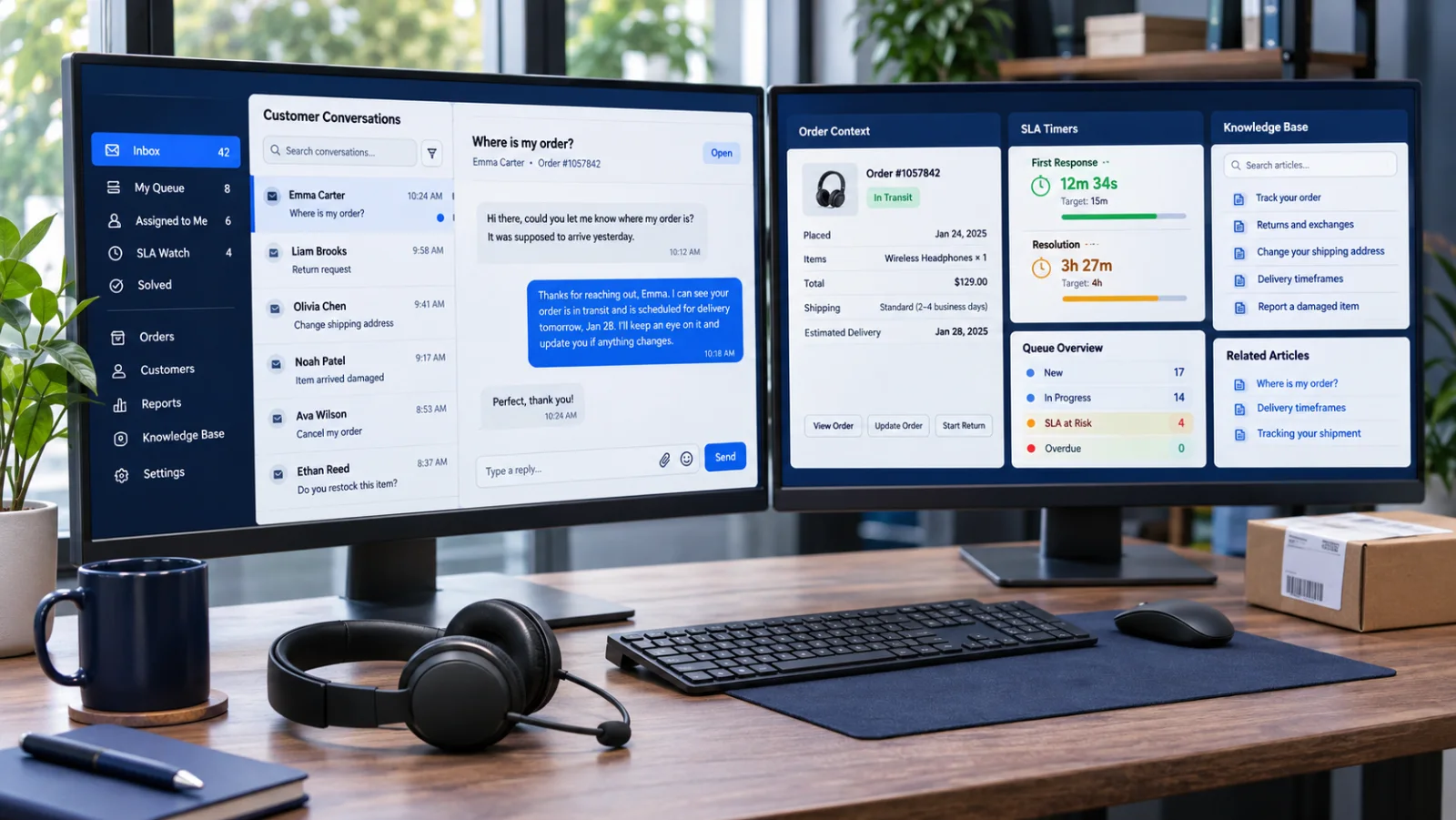
“Has my parcel actually left?” The message arrives while the support agent is handling a return request and a question about a damaged item. The customer has already shared the order number once. If the team has to search a courier dashboard, an email thread and a spreadsheet before replying, the delay becomes part of the customer experience.
An ecommerce support system helps collect requests as tickets, assign responsibility and keep the conversation history visible. Store Console Support can accept tickets from web, email, API or a connected channel-message mirror. The available channels depend on the store’s integrations; a channel is not connected merely because the helpdesk exists.
Give each request a clear path
A ticket can have a status, priority, severity, category, team and assigned agent. Routing rules can distribute work by round-robin, current load or agent skills. A customer and order context panel can help the agent see relevant CRM information without asking the shopper to start over. Public replies and internal notes remain distinct so that a private team discussion is not accidentally sent to the customer.
Saved replies can speed up common answers, while still leaving room to personalize the response. SLA policies set first-response and resolution targets according to the store’s rules and business hours. The queue can surface overdue tickets and the reports can compare response time, resolution time, breach reasons, agent workload and customer satisfaction. A target is a management aid, not a guarantee that every issue will be solved within a fixed time.
Use automation carefully
Automation rules can apply conditions and actions to ticket events—for example, tagging a delivery issue or routing a high-priority request. Loop safeguards help prevent repeated rules from cycling indefinitely. AI can draft a reply, summarize a long thread, suggest tags or assess risk. The agent can accept or reject a suggestion; low-confidence actions can stay in a human review queue. The system’s customer-facing copilot can search the knowledge base and escalate an unresolved question to a live ticket when enabled.
Self-service works best when the articles are current. A resolved ticket can become a knowledge-base draft for review, then a published help article. After resolution, configured CSAT surveys can gather feedback and reports can show whether service is improving. Data requests and retention workflows should follow the organization’s privacy process and applicable law; software settings are not a compliance certificate.
A practical support routine
- Start with the three most common ticket types: delivery, return and product questions.
- Set owners, priority rules and realistic response targets.
- Connect only the channels the team can monitor and staff.
- Review AI drafts before sending and keep a clear escalation path.
- Use ticket trends to improve product information, delivery updates and help articles.
Good ecommerce customer support software does not hide the human team behind automation. It gives people the order context, ownership and time to respond clearly—especially when a customer’s situation does not fit a standard answer.
Resolve the issue, not just the ticket
The agent opens the customer’s order and sees that the parcel was handed to a courier yesterday, but tracking has not updated. Instead of promising an arrival date the team cannot verify, the agent explains the last confirmed scan, starts a courier check and sets a reminder to follow up. If the order is eligible for an edit, return or refund, the agent follows the store’s configured workflow and permission rules. A clear next update is often more useful than a fast but uncertain answer.
Routing can send a damaged-item claim to the right team, while priority and severity distinguish an urgent delivery interruption from a general product question. Response targets help managers see overdue work; they should reflect the team’s actual operating hours and capacity. A knowledge base can answer repeat questions about sizing, delivery or returns, while unusual cases remain with a person. Zendesk’s guide to support metrics describes how first-reply time can help teams examine their service process.
Use automation with a clear handoff
Automation can acknowledge a new request, assign a category, request a missing order number or alert a team when a response target is at risk. AI may draft a reply or summarize a long conversation when enabled, but an agent should verify policy, order facts and tone before sending. Billing disputes, safety concerns, suspected fraud and emotionally sensitive complaints need a straightforward human escalation path. Track resolution, reopen rates, repeat contacts and customer feedback together; reducing response time is not success if the issue remains unresolved.
Support becomes more useful when it connects to the customer relationship history and the store’s actual order workflow. For broader operations, see how teams coordinate launch tasks. Available channels and integrations depend on the store’s setup; a helpdesk alone does not connect every social account or courier.
Common questions
What does an ecommerce helpdesk do?
It organizes customer questions and service requests into trackable tickets, with assignment, conversation history, response targets, reports and, where configured, self-service.
Can AI handle every customer issue?
No. AI can help with summaries and draft answers. Complex, sensitive or uncertain cases need a clear human review or escalation path.
Support channels, customer context and AI features depend on connected providers, permissions, plan and settings. See the Support guide.