A campaign launch has a date, but the product photos are still waiting for approval. The warehouse needs the final bundle list, the landing page needs copy, and someone has assumed another team already checked stock. Each person is busy. The project is stuck because nobody can see the full chain of work.
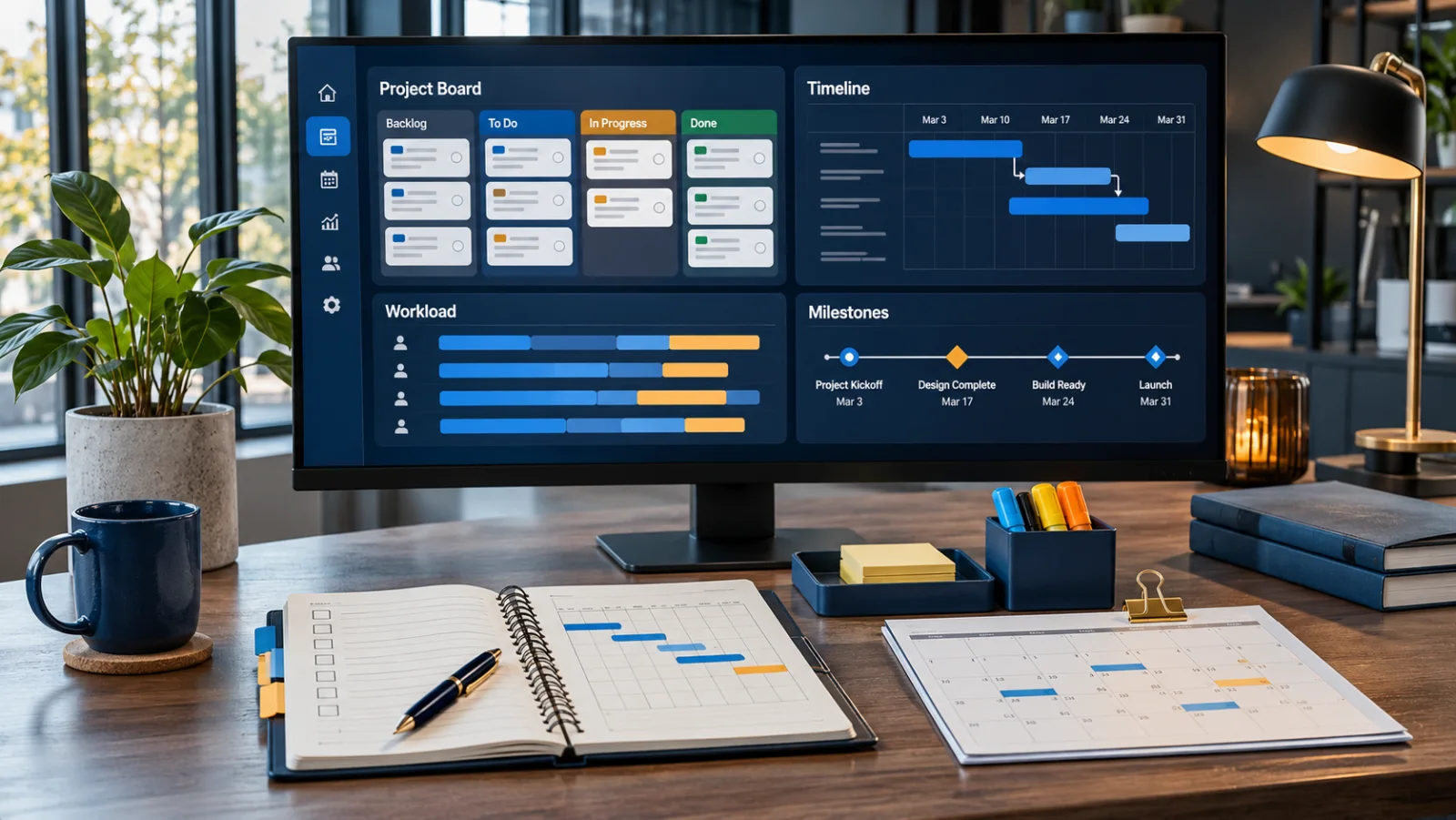
Momentum, Store Console’s work and project module, gives teams a shared place to track work items, responsibilities, dependencies, milestones and progress. It can link work to ecommerce records such as orders, customers, products, campaigns, returns, refunds, shipments, vendors and support tickets. The record stays owned by its module; the project tool references it instead of copying the business data.
Turn a launch into visible work
A project can group the tasks needed for a product launch or seasonal campaign. A ranked backlog helps the team agree what should happen next. A Kanban board maps cards to workflow statuses, while calendar and timeline views give another way to see dates and sequence. Templates can help repeat a known process. Members can have project roles such as owner, manager, contributor or viewer.
Each work item can have a priority, owner, due date, comments, attachments and worklog. Parent-child relationships break a large deliverable into smaller steps. Blocked-by links make dependencies explicit: if a required task is still open, the system prevents the dependent item from being marked done. This avoids a green status that hides unfinished work.
See impact, not only task counts
Some work affects a customer directly, such as resolving a delayed shipment or approving a return. The dashboard can prioritize customer-impacting work and show overdue items, pending approvals and SLA risk. Reports can summarize throughput, workload and customer impact; time logs can be corrected and approved according to the configured workflow. These measures help a manager ask where the process is slowing down—not simply who looks busiest.
Real-time updates can keep a project view fresh, while the database remains the source of truth if a live connection is unavailable. AI summaries or narrated report text can help condense a long work history, but the team should confirm the underlying task, status and permission scope before acting.
A weekly project rhythm that works
- Write a clear outcome and target date for the project.
- Break the outcome into work that has one owner and an observable completion rule.
- Link dependencies and flag risks before the due date.
- Review blocked items and customer-impacting tasks first.
- Close the week by checking workload, milestones and lessons for the next cycle.
Project management software cannot make an unrealistic deadline realistic. It can show the assumptions and dependencies early enough for a team to negotiate scope, people or timing. For an ecommerce business, that visibility can connect marketing, inventory, support and finance work without forcing every team into the same checklist.
Make dependencies visible before the launch date
By Wednesday, the product photos are approved, but the launch still cannot go live: the discount rules are waiting on a margin check, and the warehouse has not confirmed the bundle quantity. The project lead marks those tasks as dependencies, gives each one an owner and due date, and can see which later tasks are blocked. If a supplier delivery moves, the timeline shows what needs a new date instead of leaving the team to discover the delay on launch morning.
A project board should show real work, not create a second copy of every business record. A task can reference the campaign, product, shipment, support ticket or vendor that it concerns, while the source module remains responsible for that record. Attach decisions and files to the task, clarify who approves them, and use milestones to show the few outcomes that matter to the launch.
Protect team capacity as plans change
When two campaigns and a store redesign land in the same week, a simple workload review can show that the same designer or warehouse lead has been assigned to too much. The project manager can move a lower-priority task, split the work or agree a realistic date with the team. Progress dashboards and a short weekly review surface blocked work, overdue tasks and scope changes early. Asana’s project-dependencies guide explains how task relationships can reveal blockers and downstream schedule impact.
For an ecommerce team, project work often touches customer support readiness, campaign budgets and cash timing, and production and inventory planning. Keep one accountable owner for each outcome, review dependencies when dates change, and use the board to coordinate people—not to promise that every project will finish on the original date.
Common questions
What is ecommerce project management?
It is the planning and coordination of work across store operations—for example, launching a product, preparing a campaign or improving returns—with owners, dates and dependencies visible to the team.
Is Momentum only for software developers?
No. It supports operational work types such as marketing, delivery, warehouse, finance, support and vendor tasks, subject to the store’s modules and permissions.
Momentum features and premium capabilities depend on installation, entitlement, roles and settings. Read the Momentum guide for details.